Incentive Compensation Management Software: What to Look For in 2026
TL;DR
- ICM software automates the compensation lifecycle, from incentive plan design and CRM data sync through commission calculations, approvals, payouts, and reporting.
- You’re probably ready to look when spreadsheets start creating operational risk – late payouts, disputed numbers, slow plan changes, manual work, or growing demands from finance and RevOps.
- The right tool depends on what’s actually broken. Look closely at who can change compensation rules, how deeply the platform integrates with your sales data, and whether sales reps can understand how their pay was calculated.
- Shortlist by fit, not feature count. Enterprise ICM platforms, sales performance management suites, CRM-native tools, modern no-code platforms, and planning-led systems solve different problems.
- Pricing and implementation vary widely. Before choosing a platform, understand the pricing model, setup requirements, implementation timeline, and how much ongoing compensation management it’ll require from your team.
- Treat AI as a test, not a checkbox. Ask vendors to demonstrate how AI actually improves plan design, commission calculations, dispute handling, reporting, or compensation decisions – not just how it generates a summary.
Sales compensation gets complicated quickly. A few incentive plans can become dozens of compensation rules, exceptions, territories, quotas, accelerators, and data sources, all of which need to work together when it’s time to pay your sales reps.
Spreadsheets can handle a surprising amount of that complexity. The problem comes when they become the system your sales organisation relies on to manage compensation, calculate payouts, explain earnings, and prove that everything was done correctly.
That’s where sales incentive compensation management software comes in. But not every business needs a full ICM platform, and not every ICM platform solves the same problem. This guide breaks down what the software actually does, when it’s worth considering, and the criteria that matter when you’re comparing your options, including where an AI-native platform like Driven fits.
What Is Incentive Compensation Management (ICM) Software?
Incentive compensation management (ICM) software automates the processes involved in designing, administering, calculating, approving, and reporting on variable compensation. Instead of managing incentive plans across spreadsheets, CRM exports, emails, and payroll systems, teams can manage the compensation lifecycle in a connected incentive compensation management system.
At a basic level, that lifecycle looks like this:

Plan design > data sync > commission calculations > review and approval > payout > reporting and analysis
The exact workflow varies between platforms, but the underlying job is the same: turn sales and performance data into accurate, explainable compensation outcomes without requiring someone to manually stitch the process together every pay cycle.
For sales organisations, that can mean pulling deal data from a CRM, applying business rules to different compensation plans, calculating commissions, generating statements, routing exceptions for approval, and giving reps real time visibility into their earnings. For finance and RevOps, it can also mean better control over compensation data, audit trails, and payout accuracy.
ICM vs. Commission Software vs. SPM vs. HR Compensation
The lines between compensation software categories can get blurry. Vendors often use different terms for similar capabilities, and some platforms span several categories at once, which makes like-for-like comparisons harder than they should be. Before you start shortlisting, it helps to be clear about which type of tool you actually need.
The simplest way to work that out is to ask one question: what determines how much this person gets paid?
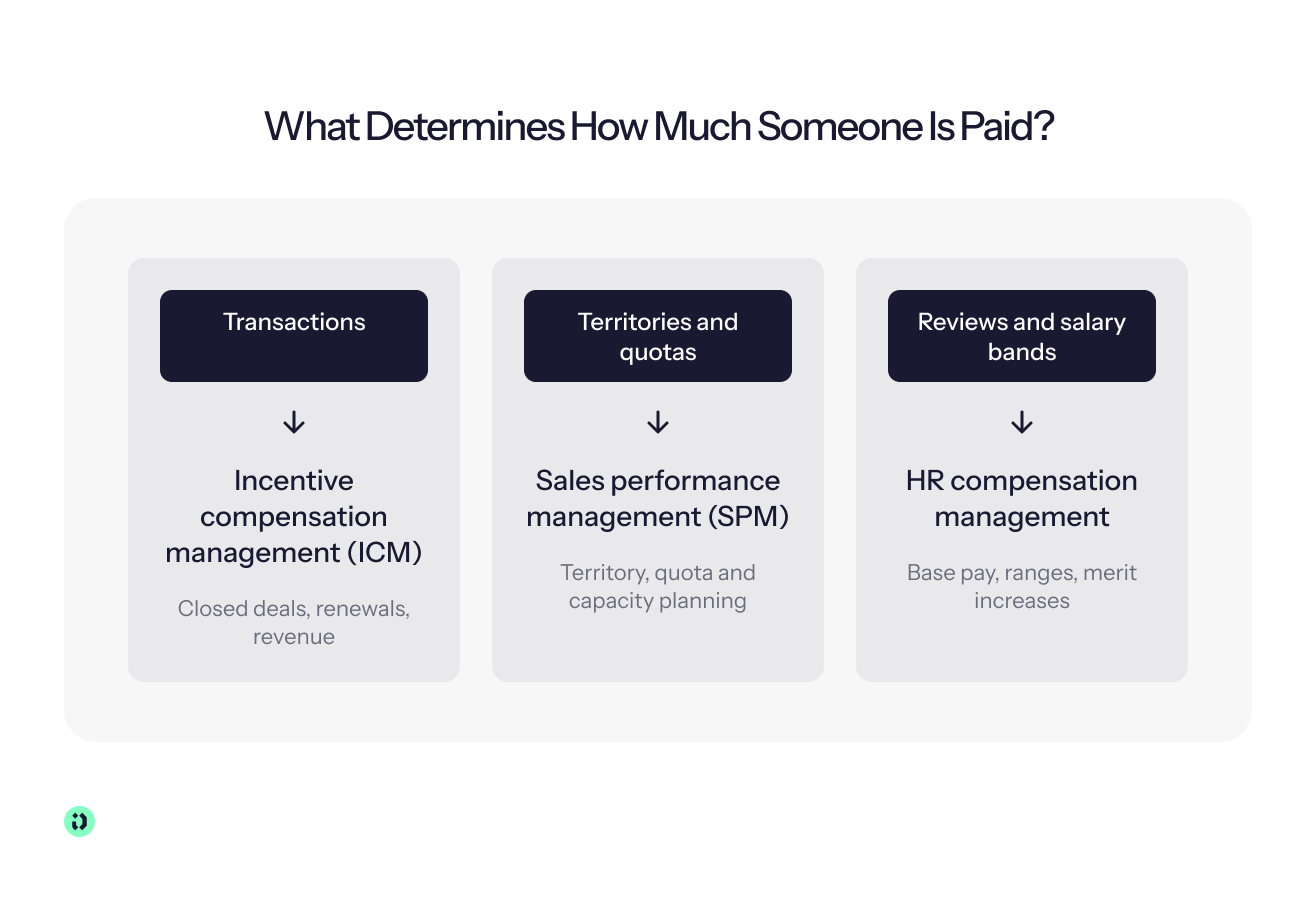
- If it’s transactions, you need ICM. Closed deals, renewals or revenue run through compensation rules to calculate variable pay, with approvals, reporting and audit trails around it.
- If it’s transactions but you only need the calculation, commission software may be enough. It’s a narrower tool focused on calculating and paying commissions, with less workflow and governance.
- If it’s territories and quotas, you’re looking at SPM. Sales performance management covers wider sales planning, such as territories, quotas and capacity. Some SPM suites include ICM.
- If it’s reviews and salary bands, you need HR compensation software. These tools handle base salary, pay ranges and merit increases rather than sales incentives.
Enterprise platforms may cover all four, so the important thing is knowing which problem you’re buying software to solve.
What Types of ICM Tools Are Available?
There isn’t one standard category of incentive compensation management tools. The market includes several approaches, each suited to different compensation processes and levels of complexity:
- Enterprise ICM suites designed for large sales organisations with complex compensation programs, multiple business units, and extensive governance requirements.
- SPM suites that combine incentive compensation with territory and quota management, broader sales planning, and performance management.
- CRM-native tools that keep compensation closely connected to the CRM and deal data sales teams already use.
- Modern no-code platforms that let compensation teams build and change complex plans without relying heavily on developers or consultants.
- Spreadsheet-style platforms that retain a familiar modelling experience while adding automation, controls, and audit trails.
- Planning-led platforms that connect compensation with quota, territory, capacity, and broader sales strategy.
- SMB-focused tools built around simpler compensation plans and faster implementation.
- Vertical-specific platforms designed around the compensation models and business rules of particular industries.
- AI-native platforms that use AI to help design plans, manage compensation processes, analyse performance data, or answer questions about incentive data.
The right category depends less on how many features a platform has and more on how your sales organisation actually manages compensation today.
Who Uses ICM Software?
ICM software isn't just a finance tool, and it shouldn't be designed around the needs of one team.
RevOps and sales operations use it to administer compensation plans, manage changes, connect CRM data, and reduce manual compensation processes.
Compensation analysts and compensation teams use it to model complex plan structures, apply compensation rules, investigate exceptions, and manage payouts.
Finance teams need reliable compensation data, predictable compensation budgets, payout accuracy, and a complete audit trail that shows how a payment was calculated and approved.
Sales leaders and sales managers need visibility into sales performance and incentive data so they can understand whether compensation plans are encouraging the right sales behaviours.
And sales reps need something much simpler: a clear answer to “How much am I going to earn, and why?”
That last point matters more than it might seem. If sellers can't understand how the system arrived at their commission, the most sophisticated compensation management software in the world won't necessarily build trust.
How to Know When to Start Looking for ICM Software
You don't need enterprise incentive compensation software just because you have a sales team. Plenty of smaller organisations can manage straightforward compensation plans with a spreadsheet or a lightweight commission calculator.
The question is whether your current compensation process is still reliable, explainable, and manageable as the business changes.
Signs Your Spreadsheet Has Hit Its Limit
Your spreadsheet may still produce the right number. That doesn't mean it's still the right system.
Look at what happened during your last compensation cycle:
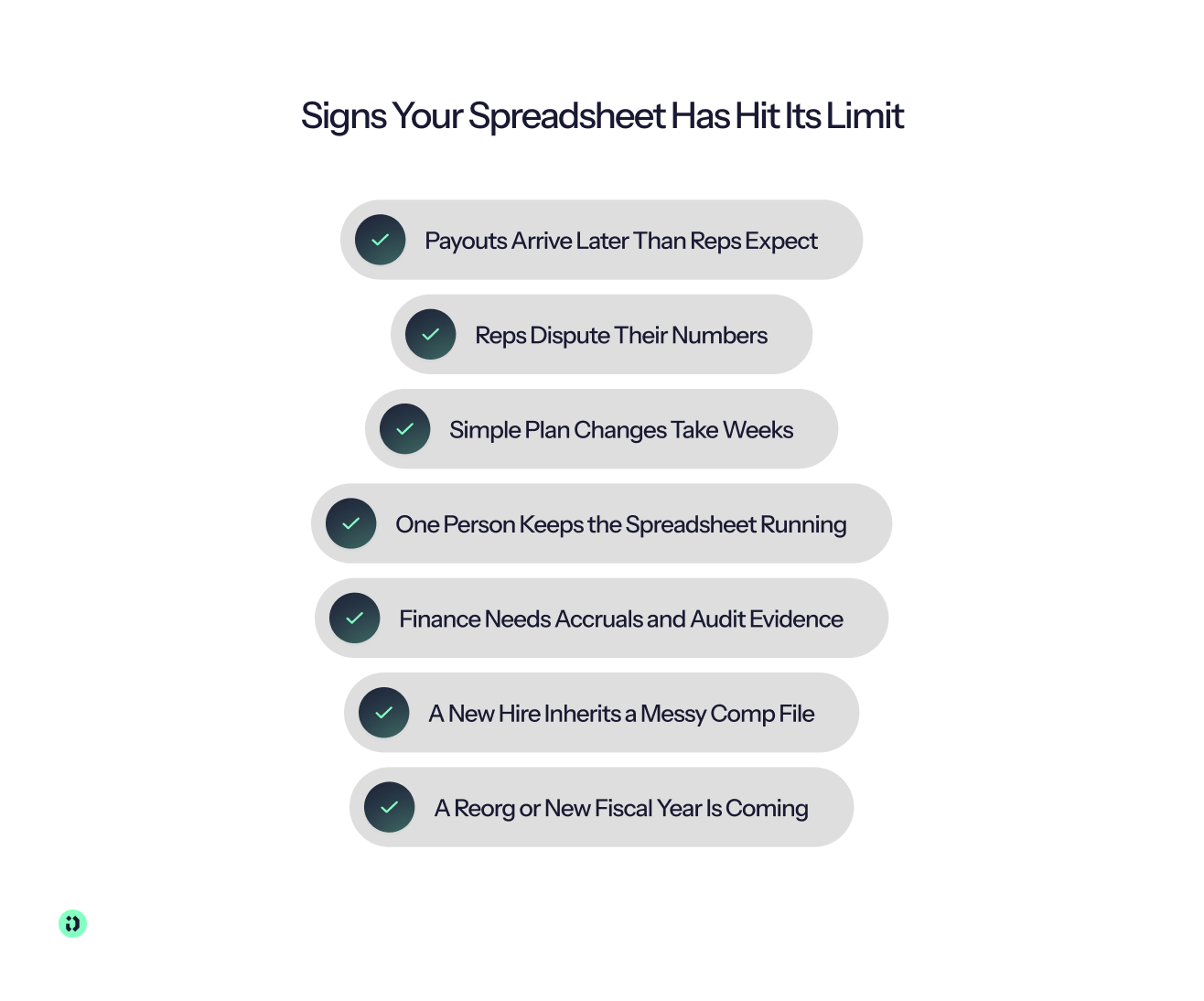
- Did payouts arrive later than sales reps expected?
- Did reps dispute their numbers or ask managers to explain individual calculations?
- Did a seemingly simple plan change take weeks to implement?
- Is there one person who understands the spreadsheet well enough to keep it running?
- Does finance now need reliable accruals, reporting, or audit evidence?
- Has a new RevOps or finance hire inherited a compensation file that only makes sense to its previous owner?
- Are you approaching a reorganisation, new fiscal year, new market, or major change to your sales strategy?
Any one of these doesn't necessarily mean you need ICM software. Several appearing together are a stronger signal that compensation management has outgrown the process supporting it.
The issue is often compensation complexity, rather than company size. A relatively small sales organisation with complex compensation plans, multiple currencies, different territories, and frequent exceptions can have a harder compensation problem than a much larger team with a simple commission structure.
Ask What Broke Last Cycle
Before you start comparing vendors, look back at your last compensation cycle and identify exactly where things went wrong.
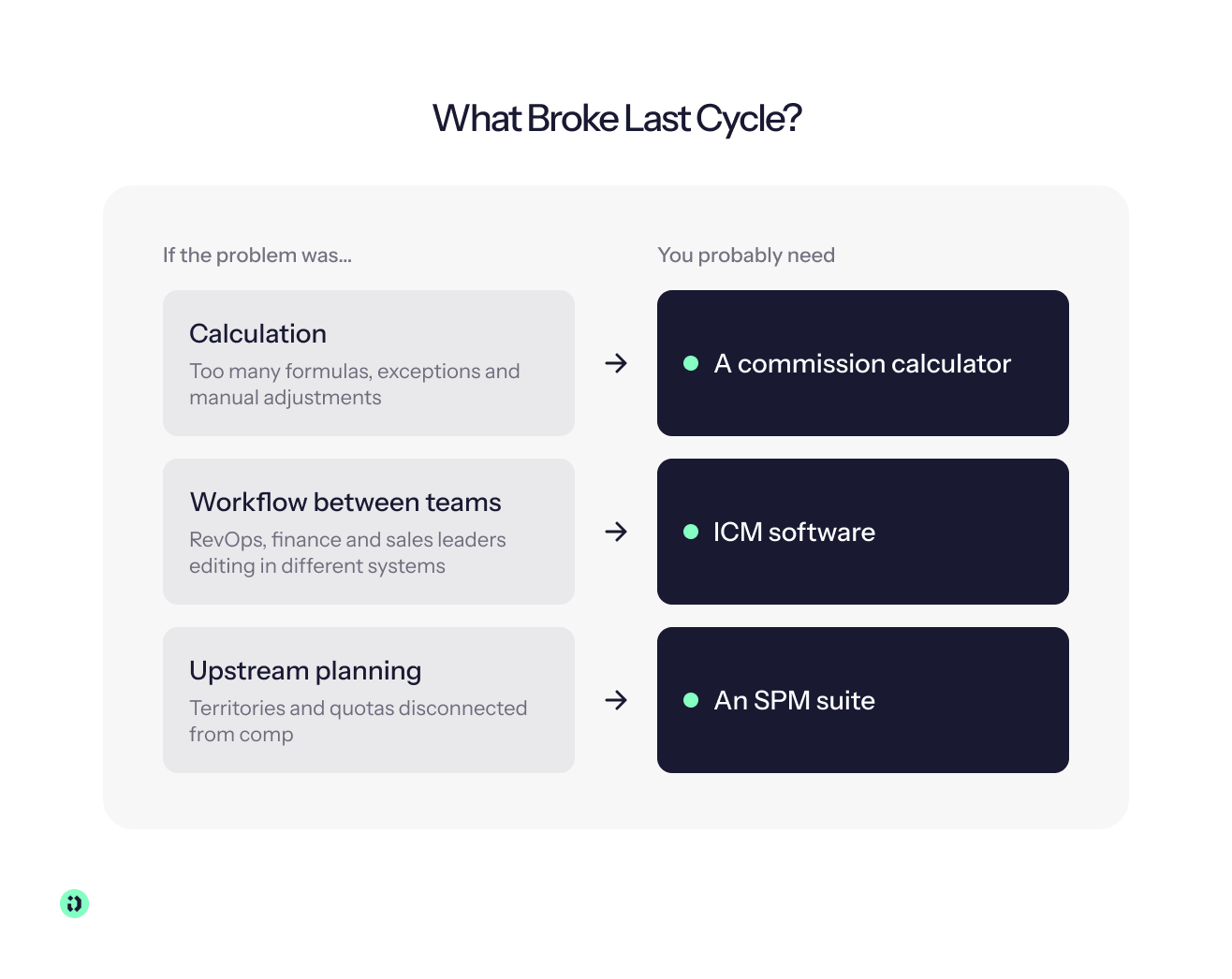
Was the problem calculation? Maybe your commission calculations depend on too many formulas, exceptions, or manual adjustments.
Was it workflow? Perhaps sales operations, finance, and sales leaders all made changes in different systems, and someone had to manually reconcile them.
Or was the problem upstream planning? If territory management, quota setting, or broader sales planning is disconnected from compensation, an ICM tool alone may not solve the underlying issue.
This distinction can save you from buying more software than you need. A straightforward commission calculator may be enough if your only problem is manual calculations. If you need to connect compensation with territory and quota management, sales performance data, and broader sales planning, an SPM suite may make more sense. If the entire incentive compensation lifecycle is becoming difficult to control, ICM software is likely the more relevant category.
The Cost of Waiting Is More Than Spreadsheet Admin
There's also a measurable cost to leaving a broken compensation process in place.
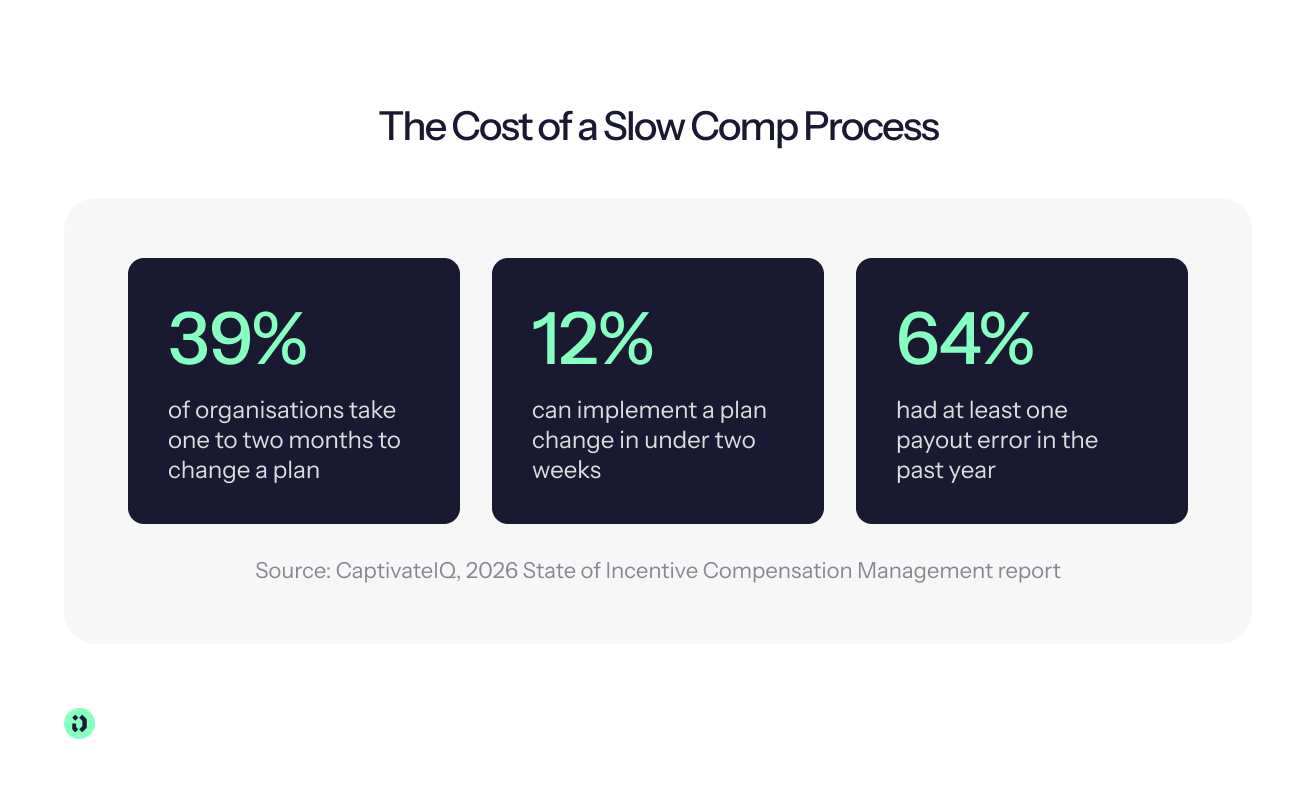
CaptivateIQ's 2026 State of Incentive Compensation Management report found that 39% of organisations take one to two months to implement a plan change, while only 12% can do it in under two weeks. The same research found that 64% of organisations experienced at least one payout error during the previous year.
Those numbers don't mean every organisation experiencing a slow plan change or payout error needs to buy ICM software. They do show how easily compensation processes can become a bottleneck as plans and sales organisations become more dynamic.
A plan that's approved in January but takes six weeks to reach the people it affects isn't really an agile compensation plan. And a payout that needs to be corrected after a rep spots an error isn't just a finance problem, it can undermine confidence in the entire compensation program.
For teams considering ICM software, that's the more useful question to ask: how much friction is your current compensation system creating, and what is that friction costing the business?
How to Evaluate ICM Software: 9 Criteria That Matter
Feature lists can make ICM platforms look remarkably similar. A better way to compare them is to test how each system handles the situations that make compensation difficult in the first place.
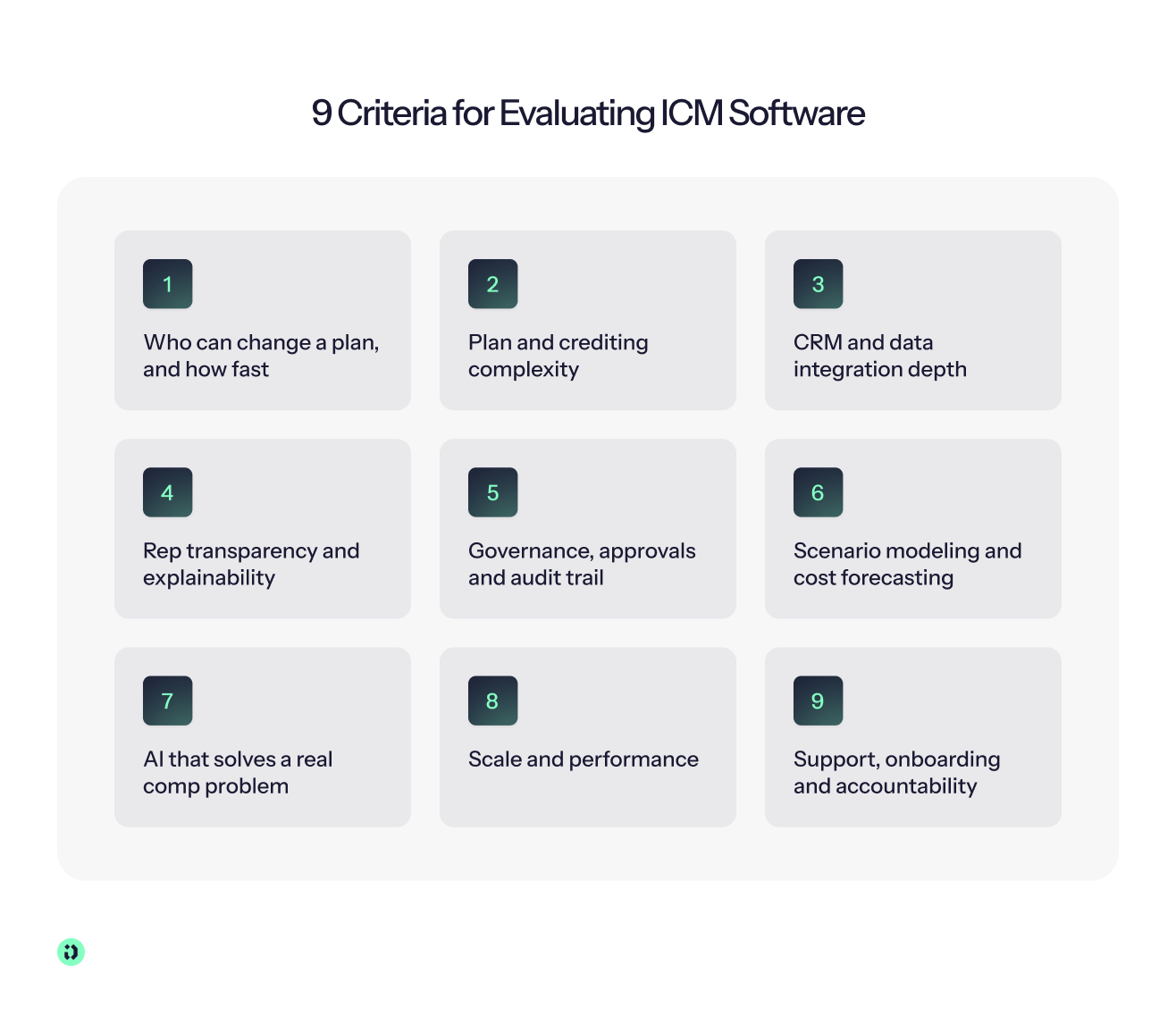
1. Who Can Change a Plan, and How Fast?
Why it matters: Compensation plans change. If every adjustment requires engineering or vendor support, your compensation process can become a bottleneck – particularly when sales strategy changes quickly.
What good looks like: Look for clear levels of control, from self-serve plan changes through technical admin support to vendor-assisted changes for genuinely complex work. The right level depends on your organisation, but you should understand exactly who controls each part of the process.
What to test in the demo: Ask the vendor to make a realistic change to an existing plan and show you exactly who needs to approve, configure, test, and publish it.
CaptivateIQ's 2026 State of ICM research found that 39% of organisations take one to two months to implement a plan change, while only 12% can do so in under two weeks. If your compensation team needs to wait weeks for a simple change, the flexibility of the platform matters just as much as its calculation engine.
2. Plan and Crediting Complexity
Why it matters: Complex compensation isn't necessarily a reason to simplify your plan. You need software that can represent the plan your sales organisation actually uses, including splits, overlays, retroactive changes, and multi-component compensation plans.
What good looks like: The platform should let you model complex plan structures and compensation rules without turning every exception into a custom development project.
What to test in the demo: Bring your most complicated compensation plan and ask the vendor to build it live. Don't give them a simplified example designed to make the platform look good.
3. CRM and Data Integration Depth
Why it matters: Your commission calculations are only as reliable as the sales data behind them. If CRM, billing, ERP, HRIS, and payroll data have to be exported and manually uploaded, you've recreated part of the spreadsheet problem.
What good looks like: Look for deep integrations with the systems that hold your deal, employee, revenue, and payroll data. Native or continuous sync is generally preferable to repeated CSV uploads, while validation on data ingest can help catch bad or incomplete records before they affect payouts.
What to test in the demo: Ask the vendor to show what happens when a CRM record is missing, duplicated, changed, or invalid – not just how a clean data import works.
4. Rep Transparency and Explainability
Why it matters: Sales reps are far more likely to trust a compensation system when they can understand how it calculated their pay. Transparency also reduces the number of disputes that compensation and finance teams have to investigate manually.
What good looks like: A rep should be able to open a payout and see the relevant deals, rates, crediting rules, adjustments, and other factors behind the calculation. There should also be a clear workflow for raising and resolving disputes.
What to test in the demo: Ask the vendor to start with a completed payout and work backwards to the underlying transaction. Can you explain the number without leaving the platform?
5. Governance, Approvals, and Audit Trail
Why it matters: Compensation decisions need accountability. When a plan, calculation, or payout changes, you should be able to see who changed it, when they changed it, and who approved it.
What good looks like: Look for version history, granular permissions, approval routing, locked payouts, and a complete audit trail. The system should preserve the history of a compensation decision rather than simply displaying its latest state.
What to test in the demo: Ask the vendor to show the complete history of a changed payout, including the original calculation, adjustment, approver, and final locked amount.
6. Scenario Modeling and Cost Forecasting
Why it matters: Compensation plans affect your costs before they affect your payroll. Sales leaders and finance teams should be able to understand the financial impact of a proposed change before publishing it.
What good looks like: Look for scenario modeling that lets you test a new plan against real sales data, compare outcomes, and forecast commission liability before month-end.
What to test in the demo: Take one existing plan and change a major rule – such as an accelerator or commission rate – then ask the vendor to show how payouts and total compensation costs would change before the plan goes live.
7. AI
Why it matters: AI is increasingly appearing in ICM software, but “AI-powered” doesn't tell you much about what the technology actually does.
What good looks like: Look for AI that makes a specific compensation process faster or easier, such as analysing plan performance, identifying anomalies, answering questions about compensation data, or helping teams model and understand plan changes.
What to test in the demo: Ask the vendor to demonstrate a real compensation problem using your data or a realistic example, rather than showing a generic AI assistant.
We'll look at the AI question in more detail later, because it's one of the easiest areas for an ICM demo to sound impressive without proving much.
8. Scale and Performance
Why it matters: A platform that works well for 50 sales reps may behave very differently when you're calculating payouts for thousands of payees across multiple regions and complex plan structures.
What good looks like: Ask about payee and plan limits, calculation speed, data volumes, concurrent users, and multi-region support. You should also understand how performance changes as compensation complexity increases.
What to test in the demo: Ask the vendor to provide performance data for an organisation comparable to yours, including payee count, number of plans, transaction volume, and calculation time.
9. Support, Onboarding, and Accountability
Why it matters: ICM implementation doesn't end when the software goes live. Your compensation plans will change, new users will join, integrations will need attention, and someone will need to help when a critical payout doesn't look right.
What good looks like: Understand who actually implements the platform, how much work your team owns, expected response times, and what ongoing support looks like. A shared Slack channel and named implementation team offer a very different experience from submitting every issue through a ticket queue.
What to test in the demo: Ask who will be accountable when something goes wrong during a live compensation cycle, how quickly they'll respond, and whether the same team will support you after implementation.
Best Incentive Compensation Management Software: 7 Tools Compared
There are plenty of incentive compensation management solutions and sales performance platforms on the market, but they aren't interchangeable. Some are built for enterprise-scale compensation complexity, some sit naturally inside a CRM ecosystem, and others prioritize quick setup and ease of use.
The comparison below focuses on the practical differences that matter when you're shortlisting a platform: who it's built for, how it connects to your sales data, who actually manages compensation plans, what pricing looks like, and how much implementation work to expect.
Disclosure: Driven is our platform, and we’ve included it because it’s a genuine AI-native option in the category. The same criteria used to assess the other platforms are applied to Driven, with product and pricing information checked against current vendor sources where available.
* Pricing and setup times can change, so treat the table as a shortlist rather than a substitute for a vendor quote.
Driven

Driven is an end-to-end partner for sales compensation: AI-native software, plus a team that runs your comp with you. We connect your data, build and update your plans, and run every calculation. Our AI agent designs plans and explains payouts, while the commission maths stays rule-based and auditable.
Driven’s Key Features
Driven's core difference is that AI is part of the compensation workflow rather than an assistant bolted onto conventional commission software.
- AI Agent that designs compensation plans, sets targets, aligns incentives, and handles disputes.
- Chat-based plan builder that turns plain-language instructions into readable, Excel-style formulas that can be edited by hand or by prompt.
- Deterministic commission calculations, with AI responsible for designing and explaining the logic rather than calculating the payout itself.
- Rep dashboards with real-time earnings, forecasts, and explanations of why a particular payout was generated.
- Auto-generated plan wiki and flowchart that update when the compensation plan changes.
- Payout workflow covering drafting, comments, approval, locking, clawbacks, and corrections.
Integrations
Driven has native real-time integrations with HubSpot and Salesforce, plus Slack for alerts, nudges, questions, and approvals. It can connect financial systems for the payroll handoff and offers MCP connections with Claude and ChatGPT for custom reporting. Other CRM setups can use CSV imports or discuss the product roadmap with Driven.
Pricing
Driven has a free Starter plan for up to three seats and one compensation plan, with self-service setup. It’s a no-cost way to see how the platform calculates and explains commissions.
Pro and Enterprise are quote-based, because what Driven delivers goes beyond software access. Pro starts at three seats and includes guided setup. Enterprise starts at 35 seats and adds dedicated setup, multi-currency support and custom fiscal years.
On both paid plans, the quote covers the work most ICM vendors leave with your team. Driven connects and cleans your CRM, billing and HR data, runs the calculations, implements plan changes, and holds a monthly review with a sales comp expert. When you compare quotes, set that against a competitor’s licence fee plus the internal admin hours, implementation fees and change requests you’d otherwise pay for. The total cost of ownership section below covers those costs.
Strengths
Comp admin stops being your job. Most ICM tools give your team the software and leave them to operate it. Driven's model is more managed: the team connects and cleans the relevant CRM, billing, and HR data, sets up compensation plans, runs calculations, and supports plan administration, leaving the customer to review and approve.
You decide, Driven makes it happen. Teams can describe how compensation should work, and Driven turns that into the plans, rules, and logic for approval. When the plan changes, the team can prompt the change rather than manually reconfiguring every component.
An expert in the room every month. Driven's managed approach includes regular review of what the plan is driving, potential gaps, and opportunities to improve the compensation program.
AI-native software underneath, with the math kept deterministic. The AI agent can design plans and explain payouts, while the commission engine keeps the calculations rule-based and auditable. Reps get real-time visibility and can trace payouts back to their underlying logic.
Where your team already works. HubSpot and Salesforce provide live sales data, while Slack supports notifications and approvals. MCP gives leaders another layer of flexibility by letting them query compensation data through Claude or ChatGPT rather than waiting for a new report to be built.
Limitations
Driven's native CRM support currently focuses on HubSpot and Salesforce, so organisations using another CRM may need CSV imports or a roadmap/custom integration discussion. Multi-currency and custom fiscal years are currently available on Enterprise.
Best for
Mid-market B2B SaaS teams using HubSpot or Salesforce that want AI-native plan building, rep-level transparency, real-time compensation data, and a faster alternative to running complex plans in spreadsheets.
CaptivateIQ
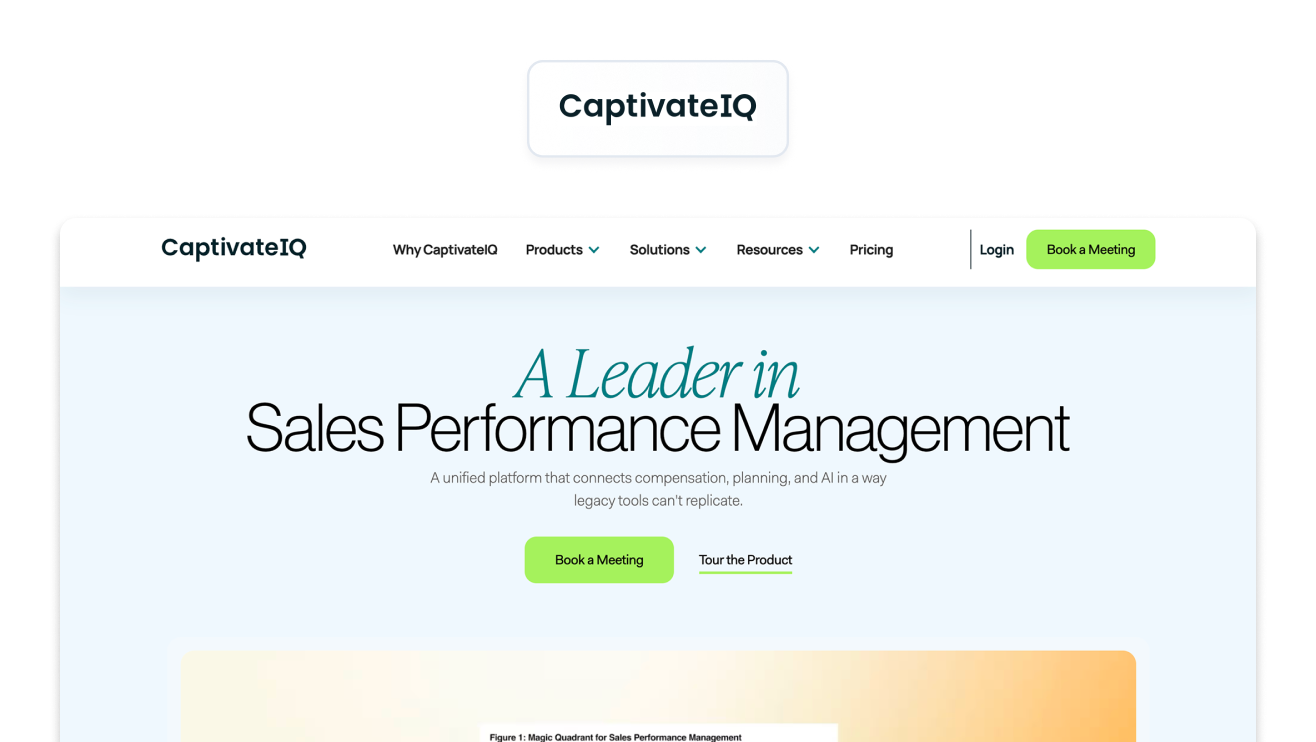
CaptivateIQ is an incentive compensation platform built around a flexible, spreadsheet-style calculation experience, with capabilities extending into broader sales performance management and planning. Its platform is designed to support complex compensation programs while giving internal teams tools to model, administer, and change plans.
Key Features
CaptivateIQ's SmartGrid approach is suited to teams that want a flexible modelling environment for complex and hybrid compensation plans, alongside governance, approvals, reporting, and broader planning capabilities.
Integrations
The platform supports integrations across CRM, ERP, and data environments, with its broader ecosystem designed to connect compensation and planning workflows to organizational data.
Pricing
CaptivateIQ doesn't publish a fixed pricing model. Its current pricing is seat-based and customized according to factors including payees, compensation complexity, and integrations, with a one-time setup fee.
Strengths
Its biggest strengths are modelling flexibility, governance, and scale. CaptivateIQ also has a substantial customer review base; its site currently reports more than 2,500 reviews and a 94% CSAT figure.
Limitations
The flexibility comes with more configuration and implementation work than a lightweight commission tool. Teams with smaller or relatively simple compensation programs may find the platform more substantial than they need.
Best for
Finance-led mid-market and enterprise teams running complex, frequently changing compensation plans that need strong modelling and governance.
Varicent
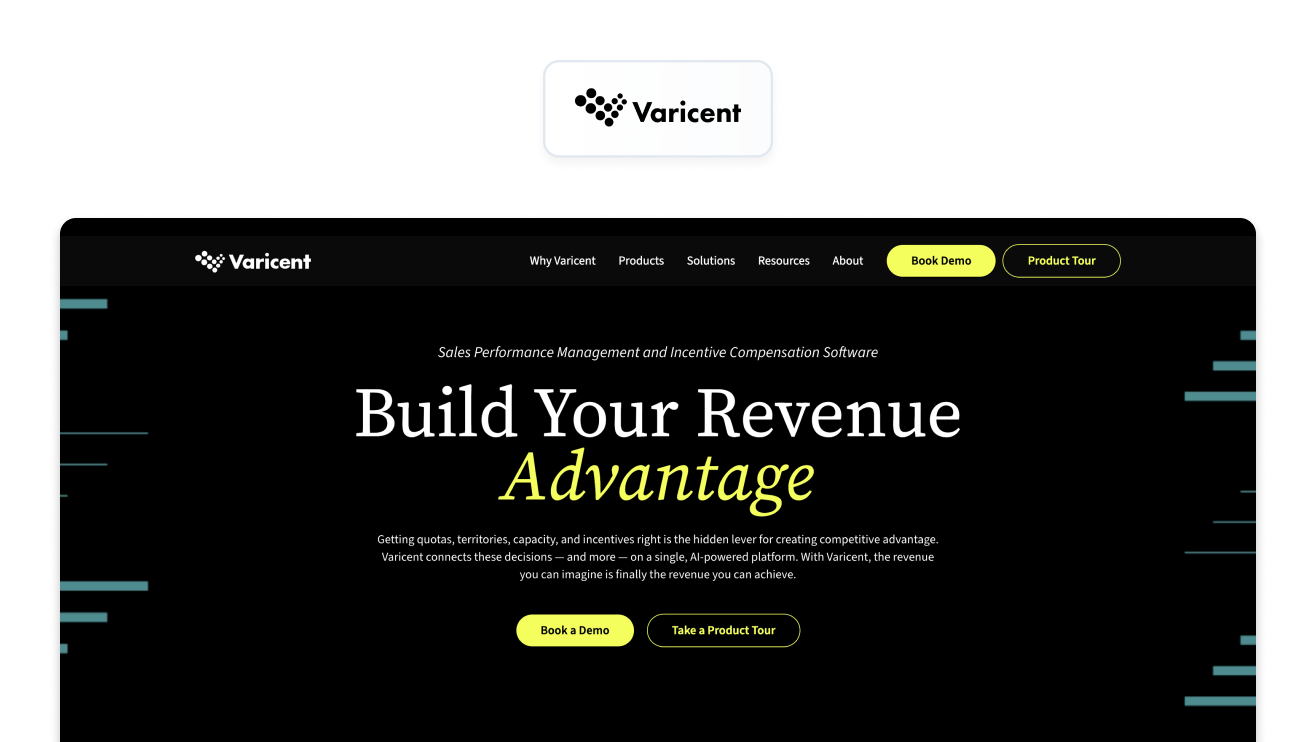
Varicent is an enterprise incentive compensation and sales performance management platform that connects ICM with territory, quota, planning, analytics, and broader sales performance workflows. Its current platform positions AI across plan design, calculation, performance analysis, and sales planning.
Key Features
Varicent supports multi-layer crediting, complex commission calculations, scenario modelling, incentive plan simulation, performance dashboards, quota attainment, and broader sales planning.
Integrations
Its enterprise platform connects compensation with the wider sales performance ecosystem, including CRM, ERP, HRIS, planning, and data-management systems.
Pricing
Varicent uses custom enterprise contracts rather than publishing a standard list price.
Strengths
The platform's biggest advantage is breadth. Teams dealing with complex global compensation can connect incentive compensation with territory and quota planning, seller insights, and broader sales performance management rather than treating compensation as a standalone process.
Limitations
That breadth also makes Varicent a more substantial implementation than a lightweight commission platform. Smaller teams may be buying capabilities they don't need if their primary requirement is simply calculating and explaining sales commissions.
Best for
Large enterprises that need to connect complex incentive compensation with territory, quota, and broader sales performance management.
Salesforce Spiff
Salesforce Spiff is Salesforce's incentive compensation management product, designed to bring commission planning, calculation, reporting, and rep visibility into the Salesforce ecosystem. It provides real-time rep statements, commission estimation, plan management, audit trails, and automated workflows.
Key Features
Spiff includes a plan Designer, commission estimator, real-time rep statements, detailed calculation insights, automated approvals, reporting, dispute resolution, and audit logs.
Integrations
Its deepest integration is with Salesforce, where compensation can use the CRM's data model directly. Salesforce also offers more than 50 additional connectors for external systems, priced separately.
Pricing
Salesforce currently lists Spiff at €75/£60/$75 per user per month, billed annually. Additional connectors are listed at €250/£200/$250 per connector per month, while premium support is priced at 30% of net price.
Strengths
The biggest advantage is the tight Salesforce ecosystem integration and polished rep experience. Teams already standardized on Salesforce can keep sales and compensation data closely connected, while reps get real-time visibility into incentive pay.
Limitations
It's fundamentally a Salesforce-first proposition. Teams running HubSpot or another CRM won't get the same native experience, while connector and support costs can add to the headline subscription price.
Best for
Companies standardized on the Salesforce ecosystem that want incentive compensation closely integrated with their CRM and sales performance workflows.
Performio
Performio is an enterprise ICM platform built for complex compensation programs and organisations that need to bring data from multiple business systems into their commission calculations. It combines compensation logic with data transformation, integrations, workflows, and governance.
Key Features
Performio supports component-based compensation plans, data transformation, approval workflows, audit trails, and AI-powered insights and automation. Its platform is designed to handle complex compensation programs at enterprise scale.
Integrations
Its integration layer supports native and no-code connections, APIs, flat files, and SFTP. The current integration catalogue includes Salesforce, HubSpot, NetSuite, Workday, Snowflake, BigQuery, SAP, ADP, and numerous other CRM, ERP, HR, finance, and data warehouse systems.
Pricing
Performio doesn't publish standard pricing and quotes based on the customer's requirements.
Strengths
Performio is particularly strong where data complexity and auditability matter. Its combination of flexible integrations, data transformation, compensation logic, and governance makes it suitable for organisations pulling compensation inputs from many systems.
Limitations
Implementation is more vendor-led than the self-service experience offered by lightweight commission tools. That can be an advantage for complex deployments, but it's a bigger commitment for teams looking for a quick, simple setup.
Best for
Audit-heavy teams with complex compensation plans and data coming from multiple CRM, ERP, HR, payroll, and data systems.
Qobra
Qobra is a European commission management platform aimed at teams that want no-code plan administration without giving up more advanced compensation logic. Its feature set includes plan building, simulation, version control, multi-currency support, and real-time visibility.
Key Features
Qobra offers a no-code plan editor, custom calculation rules, sandbox simulations, validation workflows, custom roles, version control, plan visualization, conditional logic, and multi-currency support.
Integrations
Qobra connects compensation data with CRM and other business systems, with its current platform designed around automated data refreshes rather than relying entirely on manual spreadsheet imports.
Pricing
Pricing isn't publicly listed, so teams need to request a quote based on their requirements.
Strengths
Its strengths are ease of plan administration, a modern interface, simulation capabilities, and support for international compensation. The no-code builder and sandbox environment are particularly useful when compensation teams want to test changes before putting them into production.
Limitations
For very complex enterprise compensation programs or extremely large sales organisations, you'll want to test the platform against your actual plan structures and data volumes rather than assuming a no-code interface will scale to every use case.
Best for
European mid-market teams with relatively straightforward to moderately complex commission plans that want no-code administration and multi-currency support.
QuotaPath

QuotaPath is a commission tracking and sales compensation platform focused on SMB and growing sales teams. It combines plan and quota tracking with rep dashboards, forecasting, approvals, and commission management, with published pricing that makes it easier for smaller teams to assess the cost upfront.
Key Features
QuotaPath includes custom compensation plans, commission forecasting, deal flagging and discrepancy resolution, plan performance insights, multi-currency support, approvals, and – on higher tiers – plan modelling, custom reporting, automated commission payroll sync, and ASC 606 support.
Integrations
Its current integration catalogue includes HubSpot, Salesforce, Zoho, Pipedrive, Copper, Close, Keap, JobAdder, and others. Its HubSpot integration can sync deal and earnings data into HubSpot, while Salesforce support uses an API-based one-way sync.
Pricing
QuotaPath is fairly transparent about pricing. Growth is currently $35 (approx €31/£26) per user per month plus a $525 (approx €468/£391) monthly platform fee, while Premium is $50 per user per month plus an $800 monthly platform fee, both billed annually. The platform fee covers the first five users, implementation, account support, and ongoing support. QuotaPath says implementation takes 45–60 days on average.
Strengths
The main advantages are transparent pricing, a relatively clean user experience, broad CRM support, and a straightforward route into automated commission management. Published pricing also makes it easier for smaller teams to compare the cost against continuing with spreadsheets.
Limitations
QuotaPath is less suited to organisations with highly complex enterprise compensation requirements or very large datasets. Its platform fee also means the headline per-user price isn't the complete cost for a very small team.
Best for
SMB and growing sales teams with relatively straightforward compensation plans that want transparent pricing, quick access to commission automation, and support for mainstream CRMs.
AI in ICM Software: What's Real and What's Hype
“AI-powered” has become an easy label to add to incentive compensation software. It’s much harder to show what the AI actually does.
A useful way to separate substance from marketing is to look at where the AI sits in the compensation workflow.

- AI in the marketing copy. The product has conventional ICM functionality, but AI plays little or no meaningful role in how compensation is designed, calculated, or managed.
- A Q&A assistant over the docs. You can ask questions about the product or your compensation plans, but the AI mainly retrieves and summarizes existing information.
- An AI plan builder. You describe a compensation plan in natural language, and the AI turns it into structured rules, formulas, or workflows that you can review and edit.
- An agent that monitors and acts. AI can continuously work with live compensation and CRM data to identify disputes, send nudges, model outcomes, answer questions, and surface forecasts, while humans retain control over decisions and approvals.
That fourth level is where AI starts to change how incentive management actually works. But it also makes the question of human oversight more important, not less.
Conversational Plan Building
One of the most practical applications of AI in ICM is turning plan design into a conversation.
Instead of translating a compensation plan from a document into dozens of fields and formulas yourself, you could describe what you want to pay for, or upload the underlying contract or plan document. The AI structures the rules, generates the formulas, and gives you something you can review.
The important part is what happens next. You should be able to inspect the generated logic, edit it by hand or by prompting the AI, and publish it only after you've approved the result. That's the model Driven takes: AI designs and explains the plan, while the commission math stays deterministic. Its plan builder can turn plain-language compensation rules into readable formula logic, which can then be reviewed or overwritten rather than leaving the calculation inside an opaque AI model.
This is important; you want AI to make compensation easier to build and understand, not to introduce uncertainty into the number that determines someone's pay.
Rep-Side AI
AI can also make the compensation system useful between payout cycles.
A rep might ask: “What do I earn if I close this deal?” Or: “Why is this deal being paid at this rate?”
Instead of submitting a ticket to RevOps or waiting for a finance team member to investigate, the rep can get an explanation directly in the application or through a tool such as Slack.
The best implementations should answer from the actual compensation rules and underlying deal data, rather than generating a plausible-sounding explanation. That means the answer should be traceable back to the transaction, rate, crediting rule, and plan that produced the payout.
Bring Your Own AI With MCP
There's another interesting shift happening in ICM: you don't necessarily need your compensation platform to contain every report you'll ever need.
Driven's MCP connection with Claude and ChatGPT lets users query live commission data through their own AI tools. That changes the model from a fixed library of dashboards to something more conversational. Instead of asking whether the vendor has already built the exact report you need, you can ask for it.
For example:
“Show me how Plan A performed by customer segment over the last four quarters, compare attainment with commission spend, and flag where the incentive appears to be producing lower revenue performance.”
The value isn't simply that AI can make a chart. It's that the user can ask a question that wasn't anticipated when the reporting library was designed.
That can be particularly useful for sales leaders and finance teams, whose questions change as soon as they see the previous answer.
The 5-Minute AI Test
Don't ask an ICM vendor whether their platform is “AI-powered.” Give them a compensation problem and see what happens.
The 5-minute AI test:
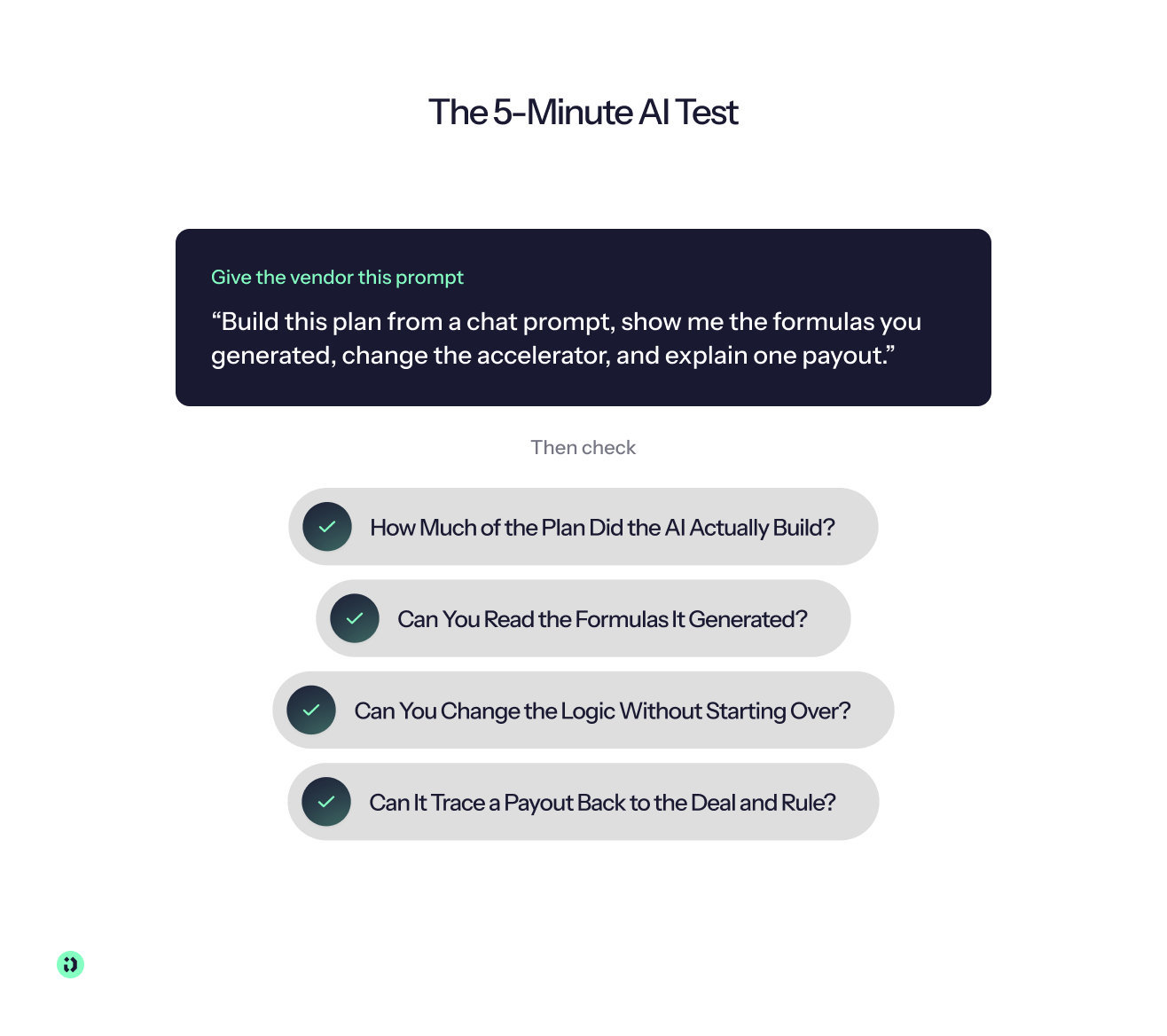
Give the vendor this prompt:
“Build this plan from a chat prompt, show me the formulas you generated, change the accelerator, and explain one payout.”
Then look at four things:
- How much of the plan did the AI actually build?
- Can you see and understand the underlying formulas?
- Can you change the logic without starting over?
- Can it explain a real payout back to the source transaction and rule?
If the demo spends five minutes showing you a chatbot answering generic questions, you haven't really tested the AI.
Why Human Control Still Matters
AI can make compensation design, analysis, and administration dramatically easier. It shouldn't remove accountability from the process. The underlying formulas should remain auditable. Changes should have version histories and approval flows. Approved payouts should be locked, with later changes recorded as adjustments or true-ups rather than silently rewriting history.
In other words, let AI do the work, but don't let it become a black box between your sales data and someone's paycheck.
Core Features of ICM Software
Good incentive compensation management software should do more than calculate commissions. It should connect the rules behind an incentive plan with the data used to calculate it, the people who need to approve it, and the sales reps who need to understand their earnings.
The most important capabilities usually fall into five areas:
Crediting and Exceptions
Crediting determines who gets credit for a transaction and how much. That sounds straightforward until a deal involves multiple sellers, overlays, split credit, shared accounts, renewals, cancellations, or exceptions to the standard compensation rules.
This is where simpler commission tools and spreadsheets can start to break down. A robust ICM platform should let teams define crediting rules, handle exceptions without rewriting formulas, and show how each transaction contributed to a rep's payout.
Calculation, Recalculation, and Corrections
ICM software should calculate commissions from the underlying sales data, but it also needs to handle what happens when that data changes.
Look for support for recalculation, retroactive adjustments, and corrections after a payout has been approved. For example, a platform might lock an approved statement while recording an adjustment that flows into the next payment period, rather than silently changing a number a rep has already seen.
That creates a clearer record of what was originally calculated, what changed, and why.
Payout Workflow
Compensation management isn't finished when the calculation is complete. Someone still needs to review, approve, lock, and pay it.
A good ICM workflow should support the full process:
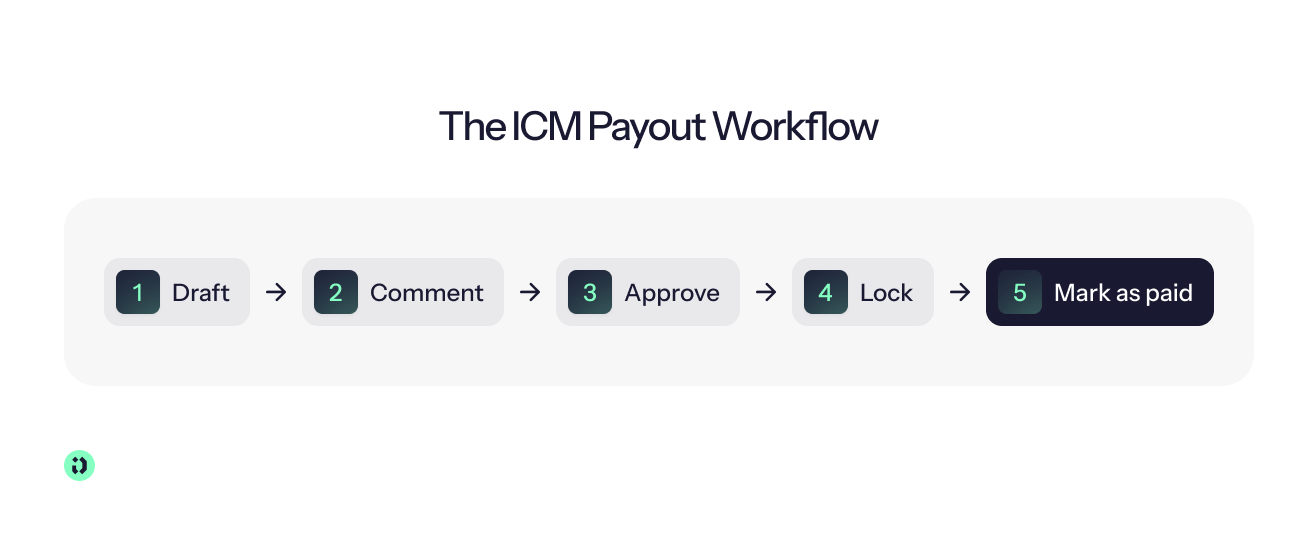
Draft > comment > approve > lock > mark as paid
That gives compensation and finance teams a controlled process for moving from preliminary commission calculations to an approved payout, while preserving an audit trail along the way.
Rep Experience
Sales reps shouldn't need to ask finance to explain every commission statement.
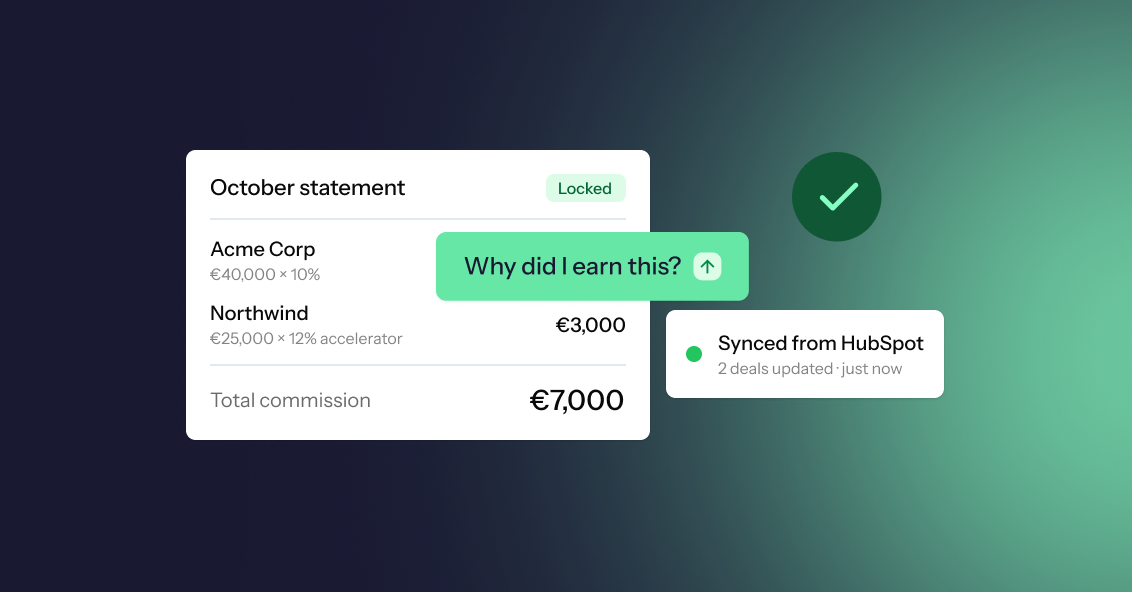
The best ICM platforms give sellers real-time visibility into their earnings, forecasts, and the transactions contributing to their variable compensation. A rep should be able to open a payout and drill down into the deals, rates, rules, and adjustments behind it, essentially answering, “Why did I earn this?”
Notifications can also bring that information into the tools reps already use, with Slack and email updates for things such as plan changes, approvals, or payout availability.
Reporting and Insights
ICM reporting should serve more than month-end reconciliation.
Sales leaders need to see how compensation relates to sales performance, quota attainment, and revenue performance. Finance teams need visibility into compensation liability, payouts, and compensation budgets. RevOps needs to identify exceptions, investigate discrepancies, and understand whether incentive plans are producing the intended results.
The more complex your compensation programs become, the more valuable it is to have these insights connected to the underlying sales data rather than assembled manually from multiple systems.
What Each Stakeholder Needs From ICM Software
Different teams have different reasons for buying incentive compensation software. A platform that looks excellent to finance may still frustrate RevOps or sales reps, so evaluate it from each stakeholder's perspective.
Operators: RevOps teams, compensation owners, and controllers need a system they can actually operate without becoming dependent on engineering or a vendor for every plan change. They need one source of truth that stays in sync with the CRM, reduces disputes, and provides an audit trail they can show to finance and other stakeholders.
Ask vendors:
- How do plan changes work without engineering?
- What happens when the CRM data is wrong?
- Can we trace a payout back to the source data and every rule applied to it?
Sales leaders: Sales leaders need to trust the numbers their teams see, while having enough flexibility to change compensation plans as the sales strategy evolves. Real-time dashboards can show whether reps are on track, while flexible plan design helps leaders use variable compensation to encourage the behaviours they want.
Ask vendors:
- Can I redesign a plan quickly and see the impact?
- Can I see which behaviours the current plan is incentivizing?
- Will reps actually use the platform?
Finance leaders: Finance needs more than accurate commission calculations. It needs visibility into accruals and commission liability, support for multiple currencies and fiscal years, a reliable audit trail, and a clear understanding of the total cost of the compensation system.
Ask vendors:
- Can I see commission liability before close?
- How does the platform handle multi-currency and fiscal-year changes?
- What is the all-in cost, including implementation and ongoing support?
ICM Software Pricing and Total Cost of Ownership
The price of ICM software isn't necessarily the number on the vendor's pricing page. Depending on the platform, your total cost can include the software subscription, implementation, integrations, support, and the internal time required to keep compensation running.
How Do ICM Vendors Price Their Software?
The most common pricing models are:
- Per payee or user: You pay based on the number of people whose compensation is managed in the platform. This can work well when your sales organisation is relatively stable, but costs can rise as your team grows.
- Platform fee: Some vendors add a fixed monthly or annual platform charge on top of per-user pricing. This can make a seemingly low per-user price more expensive for smaller teams.
- Custom quote: Enterprise ICM platforms often price based on payee count, plan complexity, integrations, implementation requirements, and support.
- Implementation fees: More complex platforms may charge separately for implementation, configuration, migration, or professional services.
- Connector fees: Some vendors charge separately for integrations with CRM, ERP, payroll, or other systems.
The important number isn't the monthly subscription. It's the total cost of running compensation for the next few years, including what your own team has to do to keep the system accurate.
Watch for the Costs Behind the Subscription
Implementation can be a significant part of the bill, particularly with enterprise platforms that require consultants or professional services.
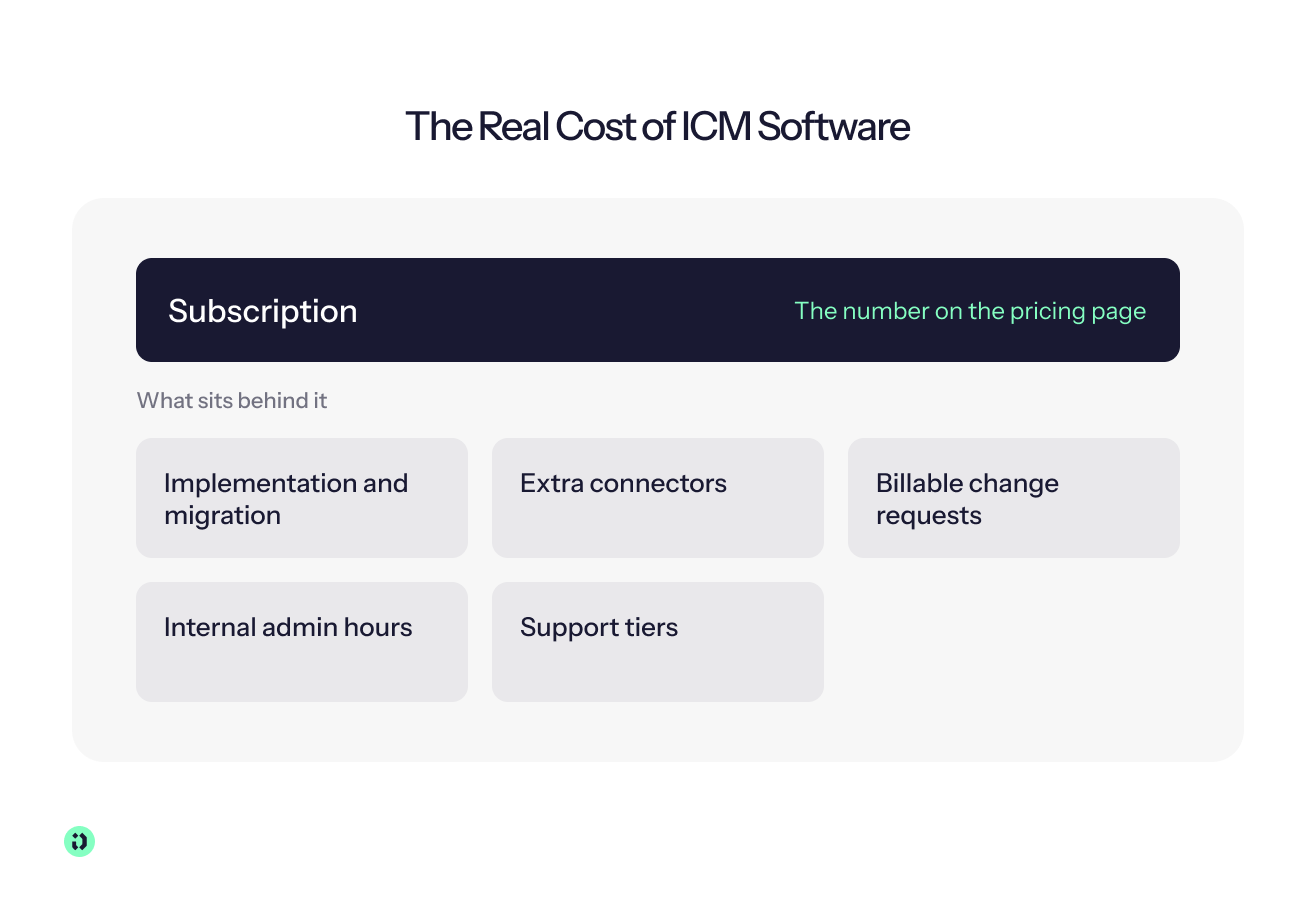
You should also understand whether you'll pay for additional change requests. If every new compensation rule, plan variation, or integration adjustment becomes a billable service request, a platform that looks affordable at purchase can become expensive to operate.
Then there's the cost that doesn't appear on an invoice: your team's time. If a compensation analyst still spends several days every month cleaning data, rebuilding reports, testing formulas, and answering rep disputes, you're paying for ICM software without getting the full operational benefit.
Support tiers can create another difference. Find out whether your plan includes a named contact, implementation support, priority response times, or access to a shared channel, or whether everything goes through a standard ticket queue.
Questions to Ask Vendors About Total Cost
Before signing, ask:
- What's the all-in first-year cost, including implementation, migration, connectors, and support?
- What will we pay as our number of payees grows?
- Are integrations included, or are individual connectors charged separately?
- What happens when we need to change an existing compensation plan?
- Which changes can our team make ourselves, and which require paid vendor support?
- How much internal admin time should we expect to spend each month?
- What's included in our support tier, and what costs extra?
- Are there minimum seat, payee, or contract commitments?
Don't compare vendors on licence price alone, compare cost per compensation cycle successfully managed.
ICM Implementation: What to Expect
ICM implementation can take anywhere from an afternoon to several months. The biggest variables aren't simply the number of sales reps. They're the complexity of your plans, the quality of your source data, the number of systems involved, and how much of the implementation the vendor does for you.
How Long Does ICM Implementation Take?
A rough guide is:
- Self-serve tools: Minutes to hours for a simple plan, particularly if the platform can import or generate the plan automatically.
- Modern ICM platforms: Often days to weeks, depending on the number of plans, integrations, and data-cleaning requirements.
- Enterprise ICM and SPM suites: Several weeks to months when implementation involves consultants, multiple systems, complex global plans, and extensive testing.
These aren't universal benchmarks. A simple plan can take months if the underlying CRM data is messy, while a complex plan can go live quickly if the vendor handles configuration and the data is ready.
Aikido Security is a good example of what a shorter ICM implementation can look like in practice. After connecting HubSpot to Driven, the company had its commission plans configured and validated and was live with more than 120 reps across six regions within one week. For teams replacing spreadsheets or an incumbent system, that kind of implementation time can make it easier to move quickly without compromising the testing and validation needed before commissions reach payroll.
Migrating From Spreadsheets or an Existing ICM Tool
Don't start by rebuilding your spreadsheet in a new interface. Start by documenting what the spreadsheet actually does.
Create a “comp bible” containing every plan, rule, exception, crediting model, quota, accelerator, SPIF, clawback, payout cadence, and approval step. Include the edge cases that only one person currently knows how to handle.
Then:
- Import or recreate the existing plans.
- Connect the relevant source systems.
- Compare the new calculations against historical payouts.
- Run at least one complete cycle in parallel.
- Investigate every difference before switching off the old process.
This is also a good opportunity to simplify rules that have accumulated over several years. Don't automate a rule simply because the spreadsheet currently contains it.
ICM Implementation Checklist
Before you go live:

- Document every plan and rule in your comp bible.
- Audit CRM data and agree on the fields that determine eligibility, credit, quota, and payout.
- Configure and test plans against historical transactions.
- Run a parallel cycle and reconcile every difference.
- Go live with a clear approval workflow and named owners.
- Communicate the change to reps, including where they'll see earnings and how they'll raise a dispute.
Common ICM Implementation Failure Modes
The most common implementation problems aren't necessarily software problems.
Automating an unclear plan simply turns a confusing manual process into a confusing automated one. If nobody can explain why a rep gets paid a particular amount, document the rule before configuring it.
Skipping data cleanup moves bad CRM data directly into commission calculations. A wrong deal owner, close date, amount, or product field can produce a perfectly accurate calculation of the wrong input.
Having no named owner after go-live creates a new version of the spreadsheet problem. Someone still needs to own compensation decisions, approvals, exceptions, and plan changes even when the calculations are automated.
CRM Data Hygiene Is Part of Compensation Management
Your CRM is increasingly the input to your compensation system. If the data is unreliable, your payouts will be unreliable too.
That creates a useful feedback loop. When commission calculations are directly tied to CRM fields, sales teams have a much stronger reason to keep those fields accurate. Clean data isn't just a RevOps preference anymore; it becomes part of the process for getting paid correctly.
The key is to define which CRM fields are authoritative before implementation. For example, decide which field determines deal ownership, which date determines eligibility, and which revenue value is commissionable. Then validate those inputs before they reach the calculation engine.
Compliance, Security, and Data
ICM software sits close to some of your most sensitive operational data: employee information, compensation plans, sales performance, revenue, and potentially payroll information.
That makes security and governance part of the buying decision, not something to review after you've chosen a platform.
Audit Trail and SOX Readiness
An audit trail should show what changed, who changed it, when it changed, and who approved it.
For compensation, that means version history for plans and rules, approval records, locked payouts, and a clear record of corrections. Once a payout has been approved or paid, later changes should be handled through a documented adjustment, clawback, or true-up rather than silently rewriting the original payment.
If you're evaluating a platform for a SOX-controlled environment, don't settle for a slide showing the words “audit trail.”
Ask the vendor for a sample audit export. You should be able to see a real example showing the original calculation, subsequent change, person responsible, approval history, and final payout. Then ask whether the export covers plan changes as well as individual commission calculations.
Commission Accruals and ASC 606 / IFRS 15
ICM software can support finance teams by providing commission data for accruals, expense reporting, forecasting, and reconciliation. It can give Finance a much clearer view of expected commission liability than a manually maintained spreadsheet.
But ICM software doesn't replace accounting judgement.
ASC 606 and IFRS 15 involve broader questions around revenue recognition and the treatment of sales commissions. Your accounting team still needs to determine the appropriate treatment for your business, including matters such as capitalization, amortization, and contract-specific considerations.
Treat the ICM platform as a reliable source of compensation data for accounting, not as a substitute for your accounting policies or professional advice.
Multi-Currency and Multi-Fiscal-Year Support
International sales organisations can quickly outgrow a compensation system built around one currency and one calendar year.
A global plan might calculate commission in euros for one rep, dollars for another, and pounds for a third, while using different fiscal calendars or payout cadences across regions. The system needs to make those rules explicit rather than relying on manual conversion and spreadsheet adjustments.
Ask vendors how exchange rates are determined, when they're locked, which currency a payout is stored in, and whether fiscal periods can differ between plans. For Driven, multi-currency and custom fiscal years are available on Enterprise plans.
Data Protection and Certifications
At a minimum, ask how the vendor protects compensation and employee data at rest and in transit, how access is controlled, where data is stored, and which independent security certifications or attestations apply.
For teams operating in Europe, GDPR and EU data requirements should also form part of the assessment. Ask about data-processing agreements, subprocessors, retention, deletion, breach response, and data residency where relevant.
Driven is ISO 27001 compliant and uses AES-256 encryption at rest, TLS 1.2+ in transit, and granular role-based access controls. Driven currently has SOC 2 Type II compliance on its roadmap.
Why Teams Choose Driven
Teams that choose Driven usually want two things at once: good software and someone to run it. Driven gives you both, an AI-native platform for the work and a partner who does it with you. Here’s how that plays out:
Comp admin stops being someone's job. If one person owns the spreadsheet, or comp is a part-time job for your RevOps team, we take that work off their plate. We handle data prep, calculations and the monthly cycle, and your team reviews and approves. The people who used to fix spreadsheets get their time back for work that moves revenue.
Built with you, kept current. You tell us how comp should work, and we build the plans and rules with you. We use a chat-based builder that produces readable, Excel-style formulas. When the plan changes after a reorganisation or a new fiscal year, you tell us and we make it happen, so changes don’t take weeks.
Live data from the CRM you already use. Driven syncs with HubSpot and Salesforce in real time, so payouts are calculated from current deal data instead of exports. We clean and validate that data before it reaches a calculation, which means fewer errors reaching reps.
Reps can see why they earned what they earned. Every rep gets real-time earnings, forecasts and a drill-down into the deals, rates and rules behind each payout. Disputes drop because the number explains itself.
Approvals where you work, with you in control. Managers and Finance approve payouts in Slack, backed by a full audit trail. Approved payouts are locked, and any clawbacks or corrections appear on a later statement rather than changing what’s already been paid. The AI designs and explains, the maths stays rule-based, and nothing is paid without your approval.
A comp expert in the room every month. Each month, your sales comp expert reviews what the plan is actually driving, flags gaps and proposes changes, then implements them. Leadership gets custom reports, and you can ask your own AI through MCP for any cut you need.
Proof: What Does That Look Like in Practice?
That reduction in processing time is significant, but the bigger benefit is what sits behind it. Aikido connected HubSpot to Driven and went live with more than 120 reps across six regions in just one week, with its commission plans configured and validated as part of the implementation. After onboarding, reps also stopped creating individual spreadsheets to track their commissions, giving the business a single source of truth for sales compensation.
The result is less time spent preparing and checking commission calculations, and more time for the team to focus on reviewing the numbers and addressing anything that needs attention.
Similarly, at Bizzy, Driven reduced commission disputes by roughly 90% and saved each rep around four hours per month. The difference came from giving reps clear, queryable payout information, so they could see how their commissions had been calculated rather than relying on manual explanations.
Steve Declercq, co-founder of Bizzy, describes the impact simply:



See your comp plan, fully built in minutes

Frequently Asked Questions About Incentive Compensation Management Software
About the author



- Sales compensation software pulls sales and quota data from your CRM, applies your compensation rules, and gives finance teams, sales ops, and reps a clear view of commission calculations and payouts.
- You’ve probably outgrown spreadsheets when commission calculations depend on one person, reps maintain their own versions of the numbers, payouts are consistently late, or changes to compensation plans keep breaking the process.
- The right sales compensation tool should handle the complexity you actually have, including clawbacks, splits, accelerators, multi-currency, approvals, and changes to deals after a payout has been approved.
- Integration depth matters just as much as the commission engine. Look for reliable CRM data, clear rules around what gets synced, and a workflow that doesn’t create another manual data-cleaning job.
- Your main options are spreadsheets, a custom-built solution, or dedicated sales compensation software. The right choice depends on plan complexity, team size, operational risk, and how much manual effort you can justify.
- A good trial or demo should let you test your own compensation plans and real sales data, rather than watching a polished walkthrough of a generic example.

- What they do: AI tools for sales operations take repetitive work off your team, keep CRM data clean and surface insights across planning, routing, forecasting and pay.
- The main lesson: match the kind of AI to the job. AI drafts, explains and flags; fixed rules calculate anything involving money or ownership; a human signs off.
- Best AI tools for sales ops: Driven (compensation), Fullcast (territory and quota planning), Clay (data enrichment), LeanData (lead routing), Gong (pipeline and forecasting).
- What's at stake: real teams lose from one or two days to two weeks per quarter on manual work.
- How to choose: start from your CRM, fix your source of truth, pick the one bottleneck that hurts most and test edge cases in a pilot.

- Sales commission automation is the process of using rules, data, and automated systems to calculate, track, approve, and report sales commissions with less manual effort.
- You can automate sales commissions with spreadsheets, build a custom system, or use dedicated sales commission software, depending on your team's size, commission structures, and business needs.
- A useful rule of thumb is: AI can help draft and explain plans, rules should calculate payouts, and humans should approve them.
- To get started, identify your source of truth, clean your CRM and sales data, document your commission rules, and then choose the automation approach that fits your commission process.
- Aikido Security used Driven to cut its commission processing time from 3 days to 3 hours, while giving 120+ sales reps real-time visibility into their earnings.
Most commission plans fail because nobody modelled the numbers before rolling them out. A rate that looks generous on a slide turns into a payout you can't afford at 130% attainment, or an accelerator so flat that your best sales reps stop pushing the moment they hit quota.
So we collected the eight most common sales commission structures into a single free commission sheet template. It is one workbook with a commission spreadsheet for each structure, each with live formulas and a filled-in example. Change a rate, a quota, or a revenue number and every payout updates instantly, so you can compare sales commissions across models in one place.
Open the template in Google Sheets or start for free and let Driven build the plan for you.

Under ASC 606, the revenue recognition standard, and its cost subtopic, ASC 340-40, sales commissions that are incremental costs of obtaining a contract are no longer expensed when paid. They are recorded as a deferred commission asset and amortized as the company delivers the service, which can be longer than the initial contract term if renewals are expected. A practical expedient lets you expense commissions as incurred when the amortization period is one year or less, but it rarely fits multi-year SaaS contracts.
Fixed salaries and company-wide bonuses are not capitalized, while SPIFFs and bonuses tied to specific deals usually are. ASC 606 does not dictate how to design your sales compensation plan, but the plan you choose determines how much accounting work you create. Clear rules on new vs. renewal commissions, clawbacks and other sales incentives keep it clean, and a platform like Driven can automate the schedules and keep them audit-ready.
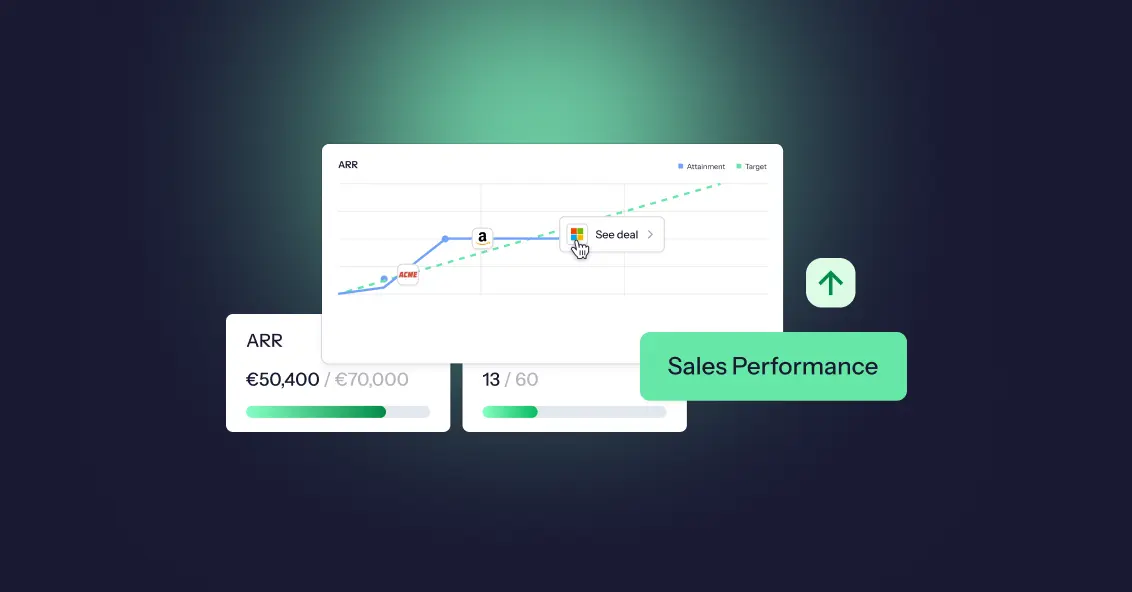
Sales performance analysis is the process of examining sales data to understand what is driving results, what is holding them back, and what to change next. It differs from reporting, which only says what happened, and the ongoing practice and technology behind it is called sales analytics.
A good sales analysis starts with a clear question, tracks a handful of key sales metrics (win rate, conversion rate, average deal size, sales cycle length, quota attainment, pipeline coverage and cost of sales), and looks at the data through five lenses: time, rep, territory, customer segment and lead source. The practical process has seven steps: ask a question, collect the sales data, clean it, set a baseline, identify trends through the lenses, diagnose the root cause, and act and monitor.
To evaluate individual sales reps, use a balanced scorecard of outcomes, activity and quality, and look at how attainment is distributed across the team, not just the average. Because compensation shapes behavior, it helps to analyze pay against performance too.
Driven acts as the data layer that connects your CRM and commission data, so you can query it in natural language and build the dashboards each person needs.
A SPIF (Sales Performance Incentive Fund, also spelled SPIFF) is a short-term sales incentive that rewards sales reps for a specific goal within a defined period, such as selling a specific product or hitting a revenue milestone. It sits on top of sales commissions and is usually paid out fast, which is what makes it effective.
Every SPIFF works the same way: set a goal, define the reward, set a timeframe, track performance, and pay out quickly. SPIFFs come in several types, including individual, team, product, tiered, activity-based, and vendor-funded, and sales teams use them to focus attention, create urgency, and boost sales. To build an effective SPIFF program, define the objective, write simple rules, set a budget, and communicate clearly. To measure one, compare results to a baseline and check the cost per extra sale. The most common mistakes are overcomplicated rules, running SPIFFs too often, and rewards too small to matter. Tools like Driven automate the tracking and payouts, so none of this lives in a spreadsheet.
Incentive pay is variable pay that rewards employees for results, paid on top of base pay and earned again in each period. It counts toward total earnings and is generally taxable, but it is not part of the fixed salary.
Common types include commission, performance bonuses, team incentives, gainsharing, profit sharing, spot awards, non-monetary incentives, and long-term incentives like stock options. Unlike a bonus, which rewards past results, or merit pay, which is a permanent raise, incentive pay is agreed in advance and drives future performance.
It is calculated as a performance result multiplied by an incentive rate, using flat, threshold, tiered, or target-based structures. To make it work, set clear objectives, use a few meaningful metrics, set realistic targets, and pay out accurately and on time with transparent statements.
The main risks are gaming, sandbagging, short-term focus, and perceived unfairness, and clear data and automation help catch them early.
A sales compensation plan defines how your sales team gets paid: a fixed base salary, variable pay like commissions and bonuses, and a quota that decides how much of that variable pay a rep actually earns. Base salary plus target variable pay makes up a rep's on-target earnings (OTE).
Sales compensation plans do more than pay people; they shape behavior, drive revenue, and define culture. Get the plan right, and your team is aligned, motivated, and chasing the numbers that actually matter. Get it wrong, and you'll spend every month-end on disputes, recalculations, and reps who no longer trust their payslip.
This guide covers the core components, the main plan types, and a 10-step process to build your own, followed by three sales compensation plan examples. Jump to the examples. Everything here draws on Driven's work with finance, RevOps, and sales compensation leaders who run these plans every single month.
Sales commission software calculates, tracks and explains commissions from your CRM data, so nobody rebuilds a spreadsheet every month. The 9 best tools in 2026:
- Driven: best AI commission agent for HubSpot and Salesforce teams that want to go live in days
- QuotaPath: best for growing teams that want published pricing and broad CRM coverage
- CaptivateIQ: best for mid-market teams with complex, frequently changing plans
- Salesforce Spiff: best for companies that run on Salesforce
- Qobra: best for European RevOps teams that want no-code plans and AI agents
- Xactly Incent: best for large enterprises that also need planning and forecasting
- Performio: best for complex crediting across many data sources and regions
- Sales Cookie: best for small businesses that want month-to-month contracts
- QCommission: best for finance-led teams on QuickBooks or needing on-premise deployment
Choose based on three things: your CRM, how many reps you pay, and how complex your plan is.

TL;DR: Salesforce stores every field commissions depend on, but core Sales Cloud doesn't calculate, explain or protect payouts. Teams close that gap in one of five ways: native formula fields, a custom build, Salesforce's native ICM (Spiff), a vibe-coded tool, or a third-party commission tool. A flat rate and a few reps can stay native. Tiers, accelerators, splits and frequent plan changes point to a dedicated tool, and to an agentic platform like Driven if you want the plan designed, explained and maintained for you.
It's not uncommon for teams in 2026 to still run sales commissions on spreadsheets. The deal data lives in Salesforce, the rates live in a Google Sheet someone built three finance leads ago, and the payouts get reconciled by hand at the end of every quarter. When a rep asks why their number looks different, no one can fully explain it. When finance needs an accrual, someone exports a report and rebuilds it in Excel. The process is time-consuming, error-prone, and actively eroding rep trust. It's hard to keep a sales team motivated when reps can't trust their own paycheck.
Teams that outgrow the spreadsheet usually reach for formula fields, a custom build, or a paid add-on. But tools for managing sales incentives are now moving from rules engines you configure to agents that work alongside you. Gartner predicts that 40% of enterprise applications will feature task-specific AI agents by the end of 2026, up from less than 5% in 2025. They also say that 60% of B2B seller work will be executed through conversational interfaces by 2028.
This guide breaks down five ways to track Salesforce commissions, including what each approach does well, where it breaks, and how to choose.
To calculate sales commission, multiply the commissionable sales amount by the commission rate. A $40,000 sale at 8% earns $3,200. Base-plus-commission plans add that figure to salary, and tiered plans apply each tier's rate only to the sales inside it. The hard part is agreeing which deals count and what the rate applies to.
Three core formulas cover almost every plan. Straight commission is Commission = Sales × Rate. Base plus commission is Total pay = Base salary + (Sales × Rate). Tiered commission adds up each tier separately: (Tier 1 sales × Tier 1 rate) + (Tier 2 sales × Tier 2 rate), and so on for every tier the rep reaches.
This guide shows why most payout errors come from deciding which deals count rather than from the calculation itself. It explains why tiered plans can pay very different amounts depending on whether tiers are marginal or retroactive, and it covers why payouts should be locked once approved, so later CRM changes don't alter what has already been paid.
Ask a sales rep what's driving their next paycheck, and you'll often hear all three words used interchangeably: SPIFF, bonus, and commission. They get lumped together as "extra money for selling," but they're not the same thing, and treating them like they are leads to confused reps, inconsistent payouts, and comp plans nobody can actually explain.
A SPIFF is a short-term, targeted incentive. A bonus is a lump-sum reward tied to hitting a broader goal. A commission is the ongoing, formula-based pay tied directly to sales, the core of most sales comp plans, not an add-on to it.
This guide breaks down what each one actually means, when companies use them, how they're calculated, and how they stack together so you can build a comp plan where every payout has a clear reason behind it.
New sales hires often get offered a "draw" against commission, and most sign the offer letter without knowing there are two very different types. That gap in understanding can mean thousands of dollars either staying in a rep's pocket or getting clawed back months later.
A draw is essentially an advance on future commission, designed to give reps steady income while they ramp up pipeline and close their first deals. But whether that advance is recoverable or non-recoverable determines something much bigger: whether it ever has to be paid back.
This guide breaks down what each draw type means, how they're calculated, when companies typically use each one, and the mistakes that turn a helpful ramp tool into a trust problem between reps and the company that hired them.
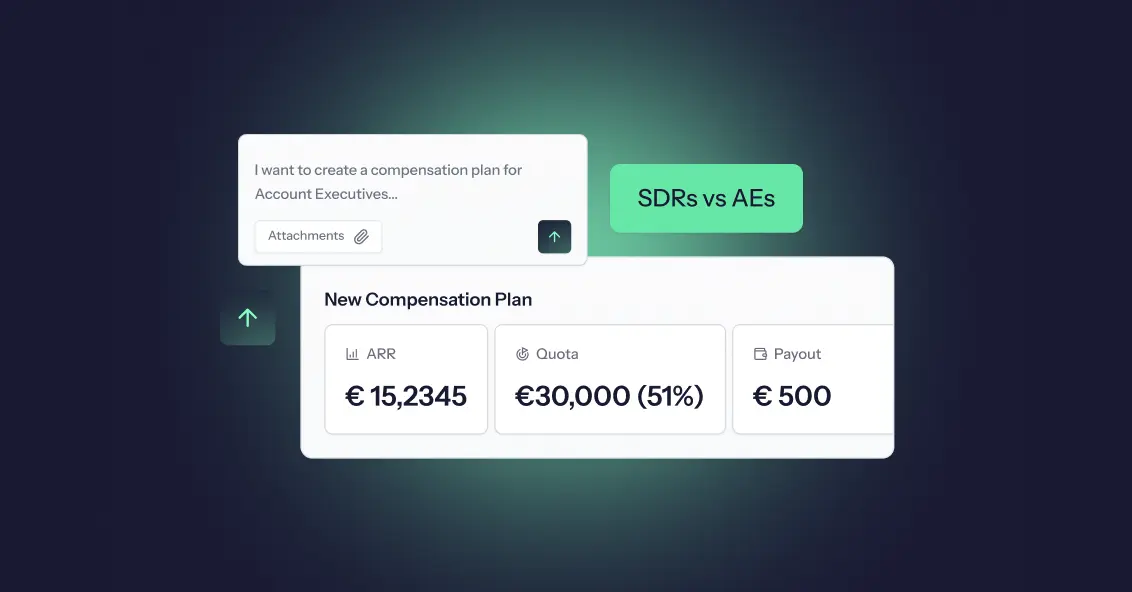
Not every sales role drives revenue the same way, so it doesn't make sense to pay everyone on the same plan. Yet plenty of companies still try to copy-paste one commission structure across the whole sales org, and then wonder why half the team feels underpaid and the other half feels unmotivated.
Sales Development Representatives (SDRs) generate qualified pipeline. Account Executives (AEs) close it. Their responsibilities are different, their quotas are different, and their performance metrics are different, which means their compensation plans need to be different too.
In this guide, you'll learn the key differences between SDR and AE roles, how their compensation plans are typically structured, common pay mixes and incentive models, mistakes companies should avoid, and how compensation software makes managing both plans easier as a team grows.
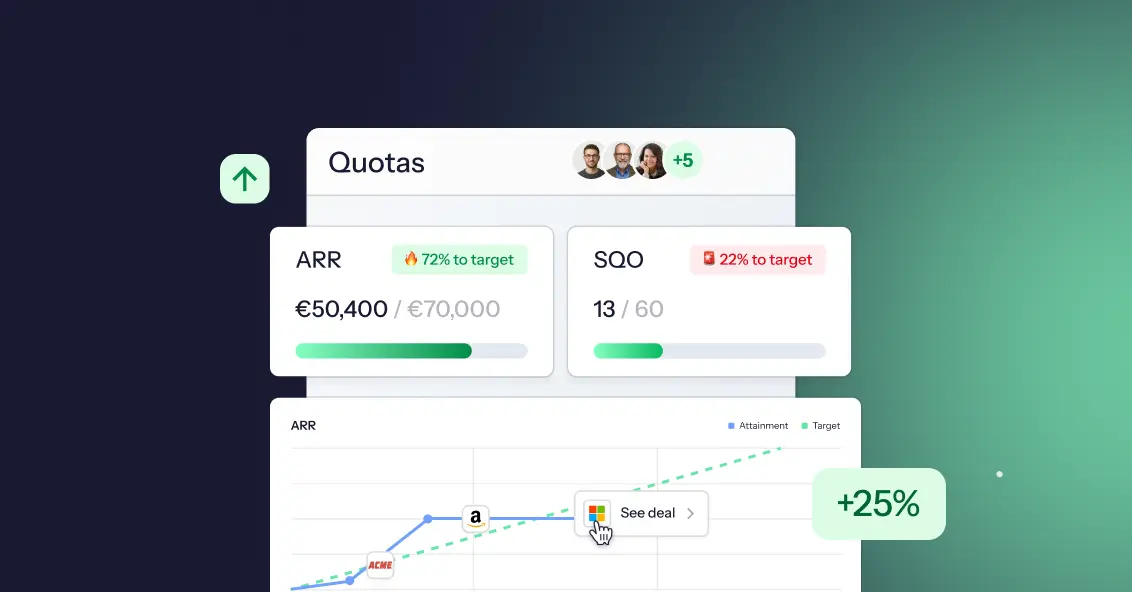
Ask ten sales reps what OTE means and you'll get ten different answers. Some think it's their salary. Some think it's guaranteed. Some think it's a number recruiters made up to make a job posting look better than it is.
On-Target Earnings, or OTE, is one of the most misunderstood terms in sales compensation, and that confusion costs people real money and real trust. Candidates accept offers they don't fully understand. Reps hit quota and still feel confused about their paycheck. Finance teams build comp plans that nobody on the floor can explain in one sentence.
This guide breaks down exactly what OTE means, how to calculate it, and how it's different from base salary and total compensation. You'll walk away knowing how to read an offer letter, build a comp plan, or explain your own earnings potential without the guesswork.
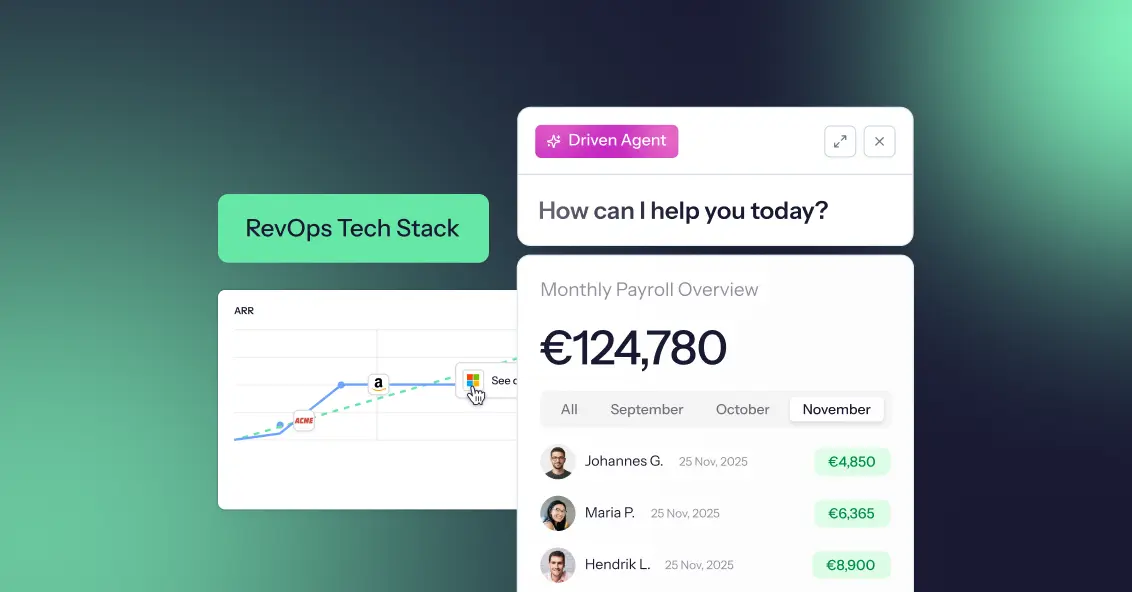
Revenue Operations has become the foundation of modern revenue teams in 2026. What once focused mainly on aligning sales and marketing now connects every revenue-related function, workflow, and process across the organisation. However, many companies still struggle with disconnected tools and fragmented systems. Businesses invest in CRMs, forecasting platforms, analytics software, customer success tools, and compensation management systems, but often end up with siloed data and inefficient workflows.
As a result, teams spend more time fixing operational issues than driving growth. A successful RevOps tech stack is not about having more software, it’s about ensuring every tool works together seamlessly. In this guide, we’ll explore how to build a connected RevOps stack that improves visibility, automation, and operational efficiency while reducing complexity. We’ll also look at how platforms like Driven help automate commission operations with AI-powered workflows.
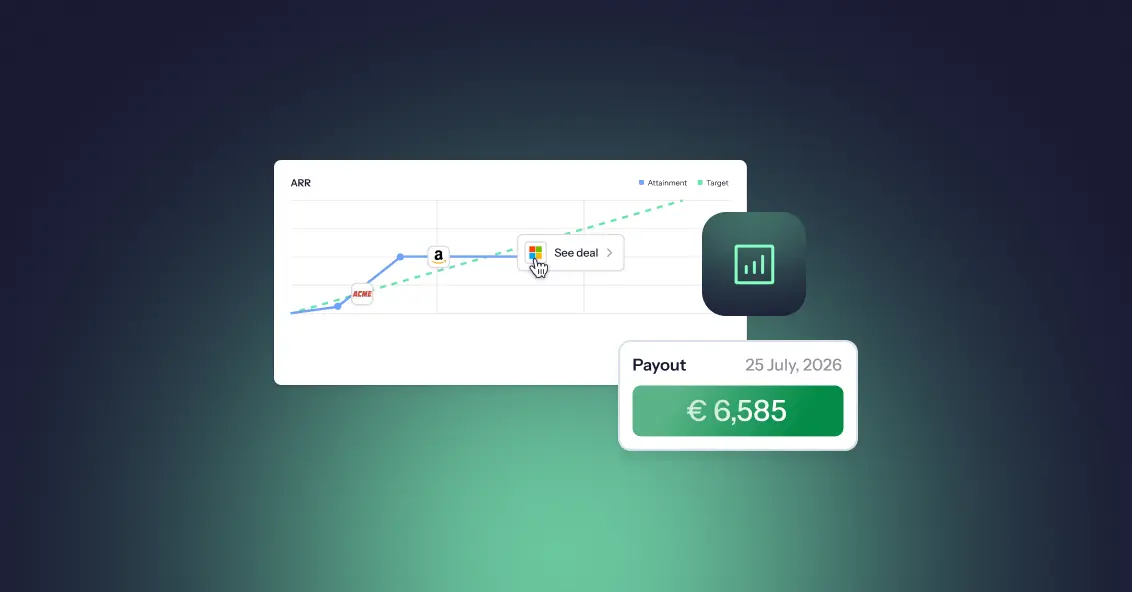
Sales compensation has moved from a back-office payroll function to one of the most strategically important levers a revenue organisation can pull. For RevOps leaders, compensation data isn't just interesting; it's operational intelligence. The right benchmarks reveal whether your quota structure is realistic, whether your commission model is driving the right behaviours, whether your reps trust the plan they're working under, and whether your finance team is spending 40 hours a month on a process that should take four.
In 2026, the data tells a clear story: most organizations are underperforming on compensation design, overspending on manual administration, and underinvesting in the transparency that keeps sales teams engaged and motivated. This guide compiles the most important sales compensation statistics. RevOps leaders need to know this year and translate each data point into a practical implication for strategy and execution.
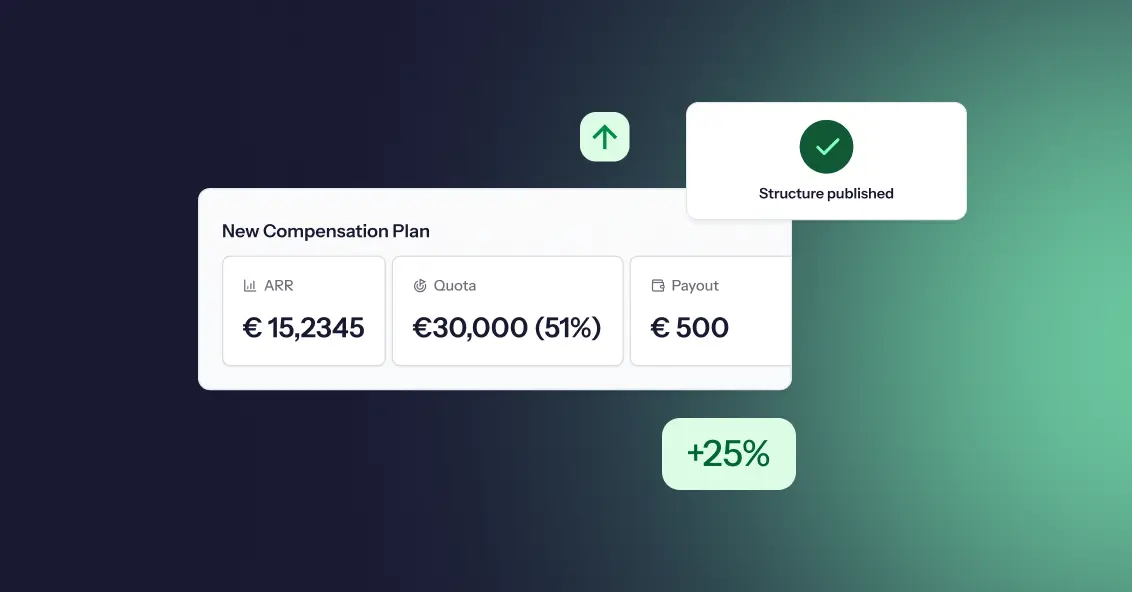
A sales team's compensation structure directly influences performance, motivation, retention, and revenue growth. When designed correctly, it encourages the right behaviors, rewards top performers, and aligns sales activities with business goals. When designed poorly, it can create confusion, reduce motivation, and drive unwanted behaviors.
Whether you're building your first sales team or refining an existing compensation plan, understanding sales compensation structures is essential for long-term success.

If you’ve spent any time around startups, scaling companies, or even corporate teams, you’ve probably heard the term “Ops” thrown around in meetings, job titles, or strategy discussions. Sales Ops, Marketing Ops, RevOps, DevOps, it’s everywhere. But what does “Ops” actually mean in business? And more importantly, why has it become such a critical function for companies that want to grow efficiently.
The truth is, most businesses don’t struggle because they lack ideas or demand. They struggle because things break internally, processes are unclear, teams are misaligned, and execution becomes messy. That’s where Ops comes in. In this guide, we’ll break down what Ops really means, what it includes, and why it plays a central role in building a scalable, high performing business.
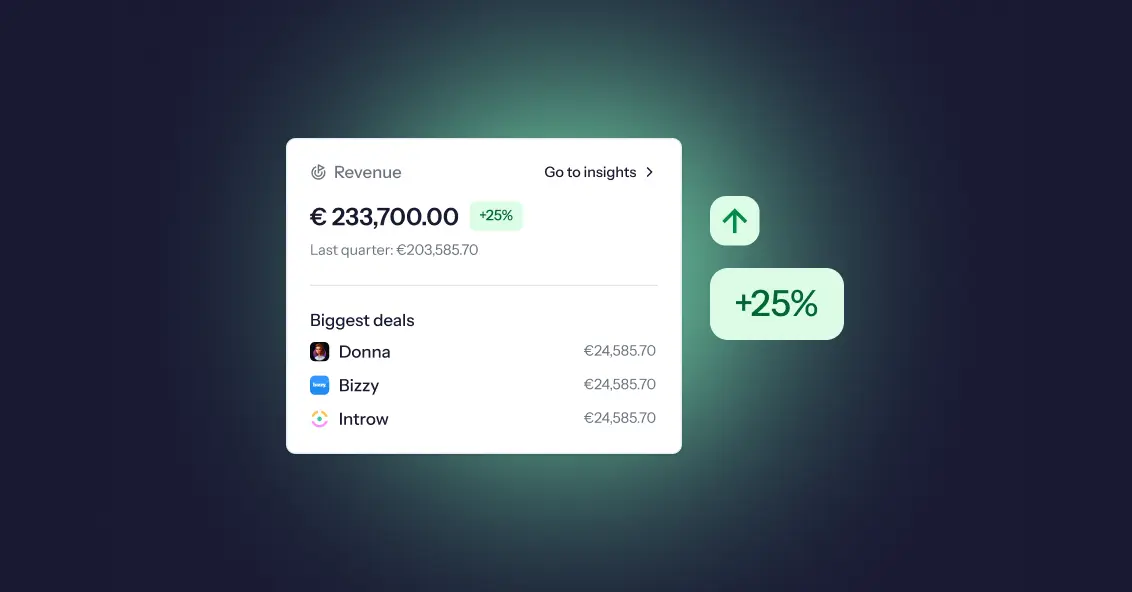
Most companies think they have a compensation problem. They don't; they have an alignment problem. Sales teams focus on what they’re paid to do, while leadership focuses on revenue growth, predictability, and profitability. When those priorities aren’t tightly connected, things start to break quietly at first, then all at once. Revenue targets are consistently missed, payouts increase without meaningful impact, and reps begin optimizing for incentives instead of outcomes.
Here’s the uncomfortable truth: if your compensation plan isn’t directly tied to revenue goals, it’s working against you. If you want to understand where sales compensation is heading, explore our take on the future of sales compensation.
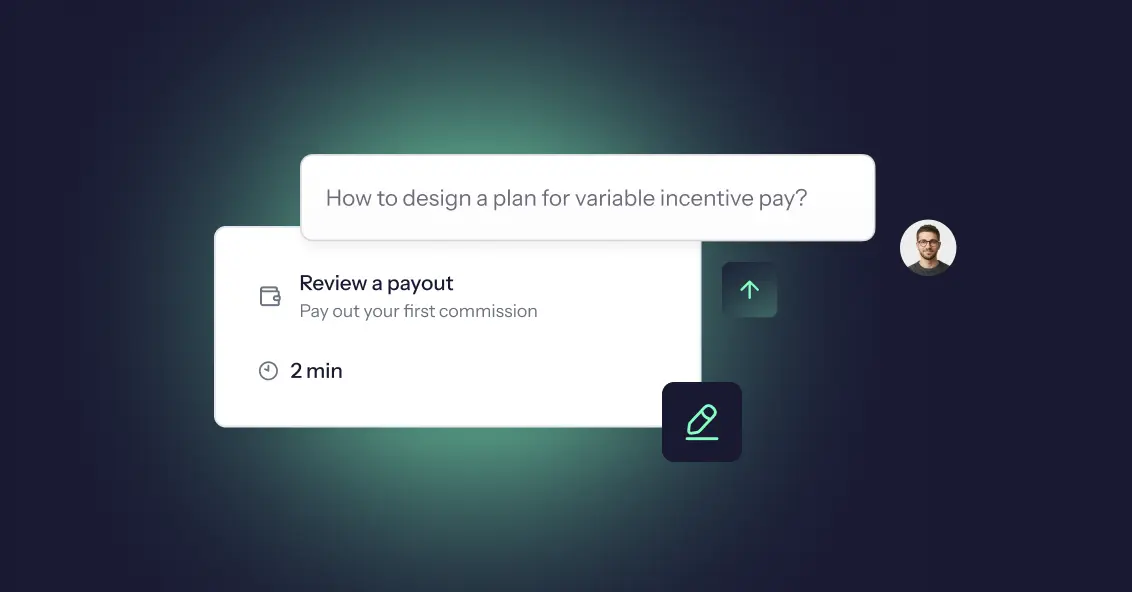
In today’s performance driven business environment, companies are moving beyond fixed salaries and embracing compensation models that directly reward results. Variable incentive pay has become a cornerstone of modern compensation strategies, especially for sales and revenue teams. But while the concept sounds simple, designing an effective variable pay plan is anything but.
Done right, it can drive performance, boost motivation, and align teams with business goals. Done poorly, it can create confusion, mistrust, and missed targets. In this guide, you’ll learn what variable incentive pay is, the different types, its key benefits, and how to design plans that actually work in 2026 and beyond.
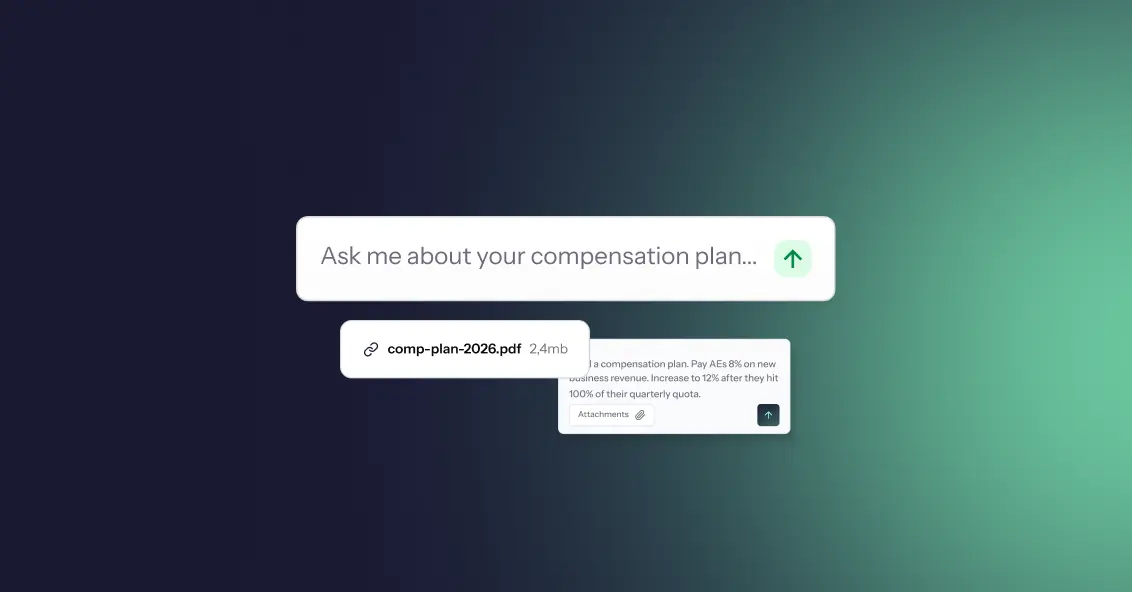
You can build a highly data driven, strategically aligned compensation plan and still see it fall apart within weeks of rollout. The reason is simple: your sales team may not fully understand it, trust it, or believe they can actually succeed under it. When reps feel uncertain about how they earn, even the best designed plans lose their impact.
In 2026, success in sales compensation isn’t just about plan structure or incentives; it's about how clearly and consistently changes are communicated. Sales teams today are more informed, more analytical, and more sensitive to fairness than ever before something closely tied to trends shaping the future of sales compensation and how AI is changing the game. When communication falls short, confusion grows and motivation drops. This blog breaks down how to communicate compensation plan changes in a way that builds clarity, trust, and adoption rather than resistance.


A sales commission plan is meant to motivate your team—but when it’s poorly designed or misaligned with business goals, it becomes a silent revenue killer. Many companies underestimate how much damage a flawed compensation structure can cause because the problems don’t appear all at once. Instead, they compound quietly over months: reps chase the wrong deals, turnover increases, disputes rise, and forecasting becomes unreliable.
Meanwhile, leadership often looks everywhere except the comp plan to diagnose performance issues. The truth? Your commission structure has more influence over revenue growth, morale, and productivity than almost any other operational system. When incentives are unclear or unfair, even your best sellers give up. And when incentives are aligned and transparent, the entire organization accelerates. In this post, we break down the hidden financial costs of a poorly designed commission structure and how modern compensation systems are helping revenue teams eliminate those risks altogether.

Sales teams are the backbone of any revenue-driven organization, but even the most talented reps can underperform without the right incentives. A well-crafted sales compensation plan doesn’t just pay your team; it motivates, aligns, and drives consistent, high-level performance. Too often, companies rely on outdated spreadsheets, unclear quotas, or one-size-fits-all commission structures, leaving reps frustrated and sales results inconsistent.
In today’s competitive market, designing a compensation plan that balances fairness, transparency, and ambition is essential. This guide walks you through a tactical approach to building plans that reward the right behaviors, keep reps motivated, and ultimately help your business hit and exceed its revenue goals.
In today’s competitive business environment, sales teams need more than just enthusiasm and product knowledge; they need direction, focus, and measurable goals. This is where Management by Objectives (MBO) comes into play.
MBO isn’t just another management buzzword; it’s a proven approach that helps organizations align their goals with individual performance. By setting clear, achievable objectives, MBO transforms how sales teams operate, helping them stay focused on what truly matters, driving results. But what exactly is MBO, and how can it revolutionize your sales strategy? Let’s explore in depth.
In today’s competitive business environment, achieving consistent sales growth is a challenge. Organizations often face real challenges when it comes to keeping sales teams motivated, tracking performance accurately, and making sure everyone’s efforts support the company’s bigger goals. Sales Performance Management (SPM) helps bring clarity to all of this. Instead of just offering tools, SPM provides a structured, fair way to evaluate performance, reward the right people, and strengthen the entire sales process so revenue grows consistently.
In this blog, we’ll explore what SPM is, why it matters, its core functions, the benefits it brings, the risks of operating without it, and how to choose the right SPM solution for your business.
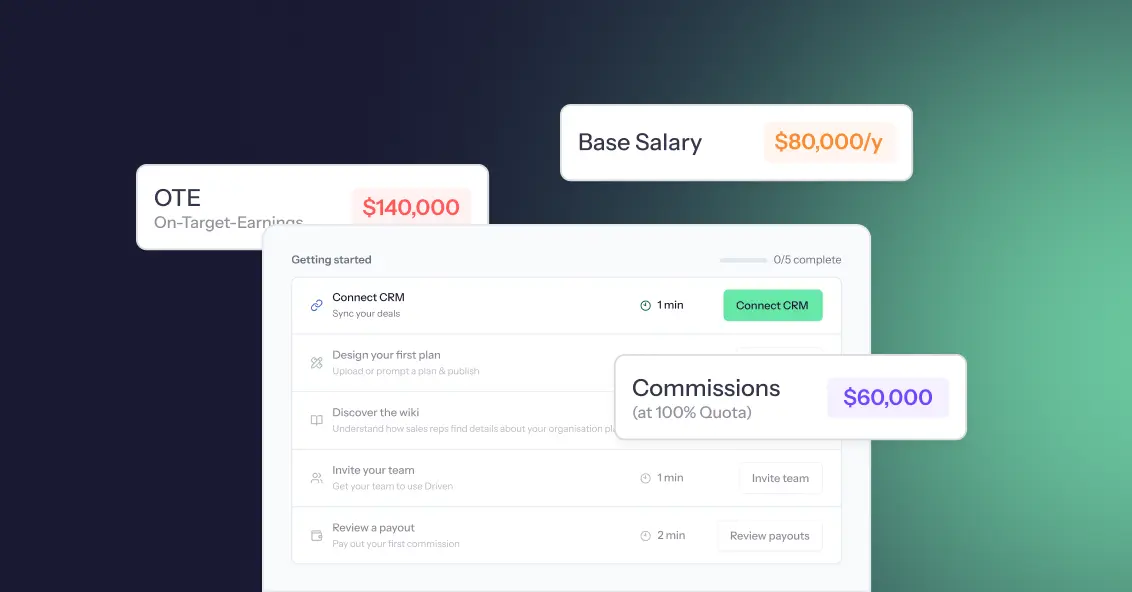
If youʼve ever tracked commissions in a spreadsheet, you know how messy it can get, late nights fixing formulas, endless back-and-forth with sales reps, and disputes that eat into everyoneʼs time. What feels “cheap and easyˮ at first quickly turns into a drain on productivity and trust. On top of that, most salespeople donʼt fully understand their complex compensation plans when theyʼre buried in Excel formulas, which only adds to the confusion. Automated sales compensation software solves both problems: it not only removes errors but also clarifies commission plans so reps know exactly how theyʼre being paid.
And the numbers back this up: studies show that nearly 9 out of 10 spreadsheets contain errors. For something as critical as sales compensation, even a small mistake can cost thousands of dollars, spark disputes, and leave reps questioning their pay. The reality is simple: manual commission tracking isnʼt just inconvenient, itʼs costly. In this blog, weʼll uncover those hidden costs, compare manual vs automated commission tracking, and explore how automation transforms commission management from a constant headache into a driver of growth and transparency.