

Sales commission reporting software

Driven MCP turns every payout into clean, structured data and an AI layer on top, so you get real-time reports and transparent answers.
REPORT ON WHAT COMP DRIVES

Know what your commission is actually driving

Driven turns commission into one clean source of truth and puts an expert on top of it, so you can see what the plan drives, defend what it costs, and ask anything you need to know.
Reports the moment you publish

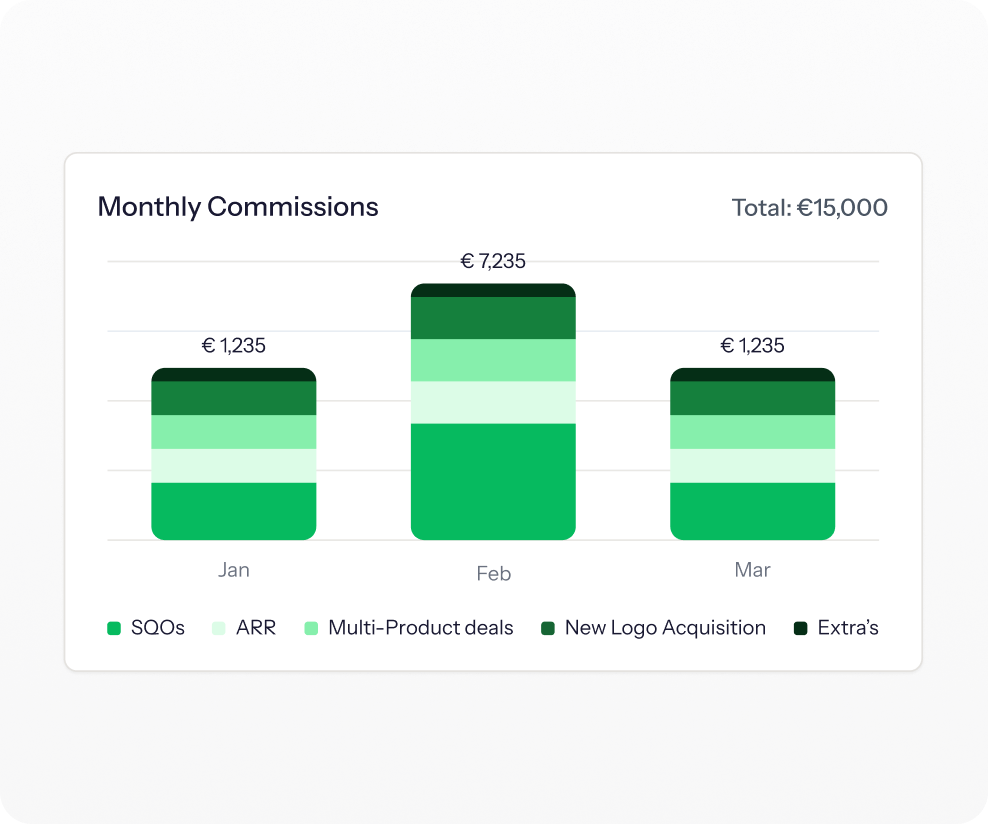
Most teams build a reporting deck by hand after every period, or stand up a dashboard that quietly goes unused because it sits off to the side. Driven generates management reports and audit trails the instant a plan is published, and pushes the insights to leadership over Slack and email so they are actually seen.
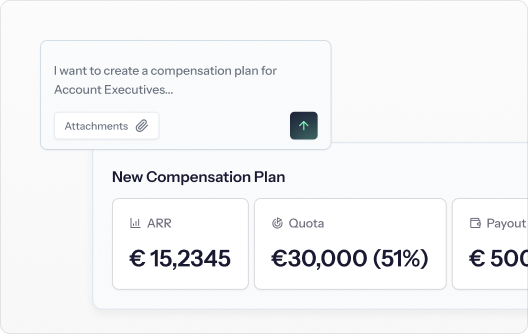
Driven plan builder: a compensation plan typed in plain language, with ARR, quota and payout calculated
Notifications confirming a commission rate change, what reps can see, and that approved deals are untouched
Insight, not just a number

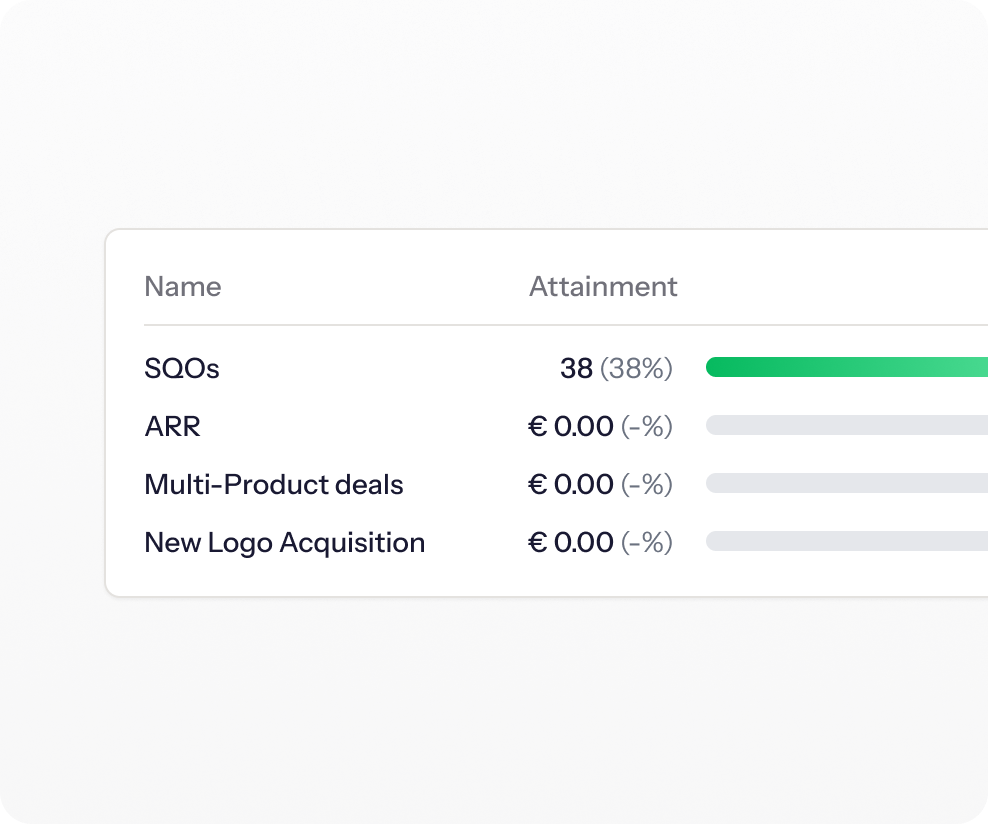
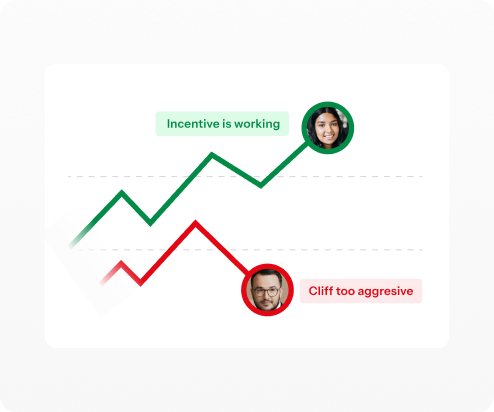
A total tells you what you paid but nothing about what it did, so plan problems only surface once behavior has already gone wrong. Driven surfaces attainment, who is excelling, and behavioral signals like sandbagging, deals pushed to next quarter, and reps at risk of leaving, showing exactly where a plan needs fixing and where a manager should step in.

Cost-efficiency you can defend

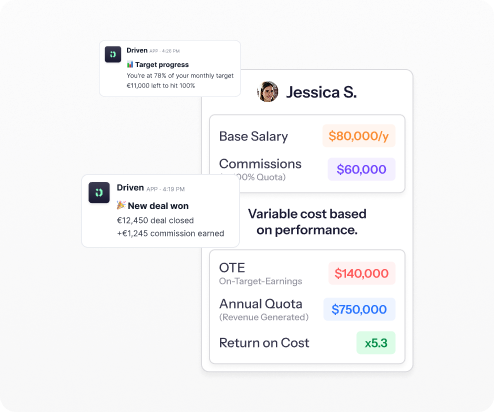
Leadership asks what the sales team costs and what it returns, and the answer usually lives in a spreadsheet no one wants to rebuild. Driven reports salary and variable against ARR closed to give a clear ROI per rep and benchmark, so you can show what every euro of commission is actually buying.
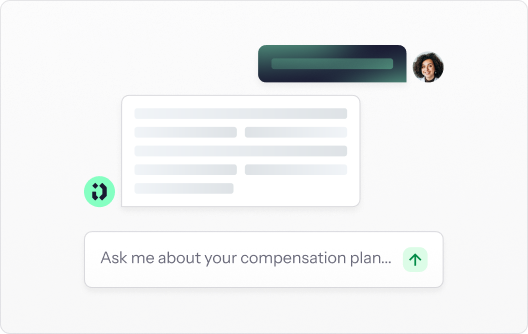
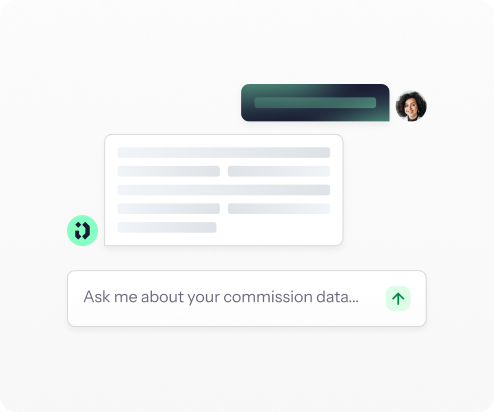
A rep asking Driven about their compensation plan and getting an instant written answer
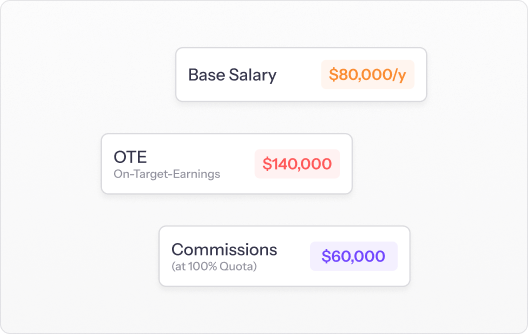
Earnings breakdown showing base salary, commissions at full quota and on-target earnings
Any question, answered by AI

No fixed dashboard can anticipate every way you will want to slice payout data, which is why custom reporting normally means an export and a manual build. Driven ships a native MCP connection to Claude and ChatGPT, so you can ask for any custom report in plain language and get a tailored answer straight from your live commission data.

How AI-native commission
reporting software works

01 – Connect

Sync the source data

Connect HubSpot or Salesforce natively and Driven reads your live deal data. Every report is built from the same records your team already works in, so what you report on always matches what actually closed.
Book a Personalised Walkthrough

Book a Personalised Walkthrough

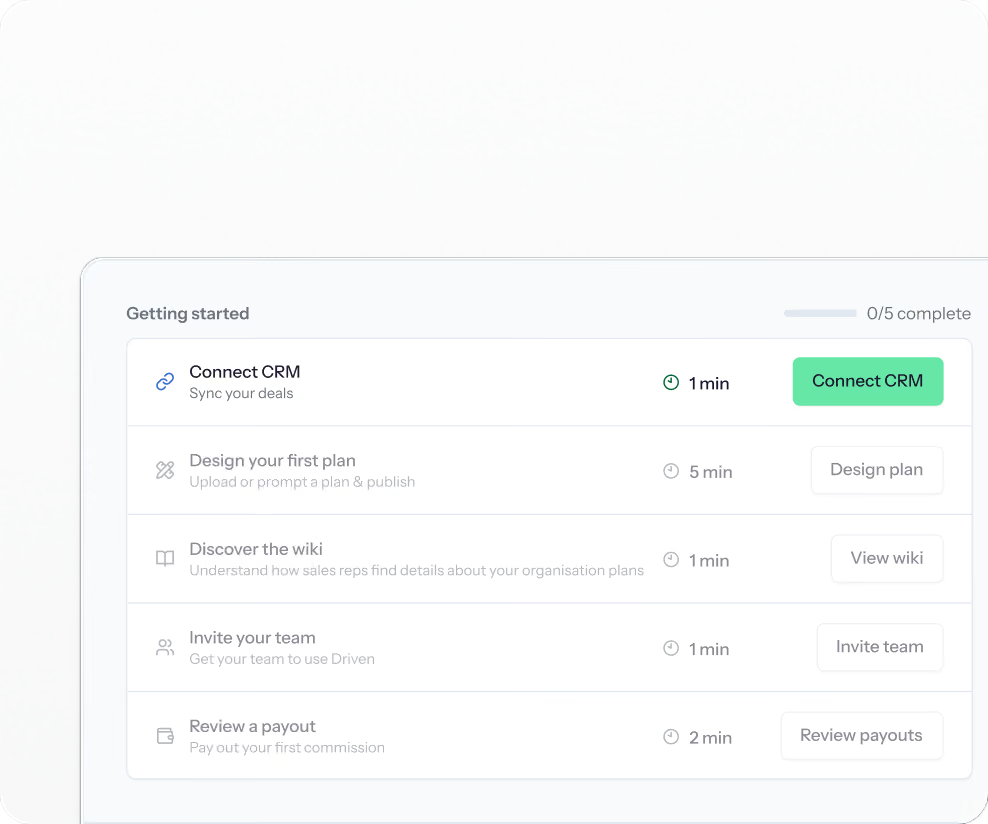
Driven onboarding checklist showing Connect CRM, design your first plan, discover the wiki, invite your team and review a payout
02 – Configure

Define what gets measured

Set the plans, quotas, and KPIs each team is measured against.

This gives every report a target to measure against and a clean, structured data model underneath, rather than a pile of exported rows.
Book a Personalised Walkthrough

Book a Personalised Walkthrough

Driven plan builder turning a written compensation rule into ARR, quota and payout figures
03 – Publish

Generate the reports automatically

Hit publish and the reporting layer populates in one step. From that single action you get:

Management reports and per-rep performance panels

Live comp-spend and attainment views

A full audit trail behind every number
Book a Personalised Walkthrough

Book a Personalised Walkthrough

Driven live preview of a compensation plan with a per-deal payout table the agent is analysing
04 – Review

See what the plan is driving

Leaders open the insights to see attainment, cost-efficiency, and behavioral signals across the team, not just what was paid.

Because the data is live from the CRM, the picture is current to the last deal that moved, so problems show up while there is still time to act on them.
Book a Personalised Walkthrough

Book a Personalised Walkthrough

Driven confirming a published plan and prompting to invite twenty team members
05 – Ask

Query your data in plain language

Through Driven's MCP connection, you can ask Claude or ChatGPT anything about your commission data and get a tailored report back in seconds. This is where the reporting stops being a fixed set of charts and starts answering the specific question in front of you, without an export or a manual build.
Book a Personalised Walkthrough

Book a Personalised Walkthrough

Driven notifications telling a rep how far they are from their next commission tier
06 – Share

Get it in front of the people who decide

Send reports to leadership over Slack and email, or export any view as CSV or PDF for payroll and accruals. Every figure carries its audit trail, so the report you share is one people can trust and act on.

Book a Personalised Walkthrough

Book a Personalised Walkthrough

Driven chat updating the accelerator from twelve to fifteen percent and confirming the commission logic changed
REPORTING COVERAGE

Whatever you need to know, Driven can report it

From the standard management view to the question you have not thought to ask yet.
Attainment reporting

See who is hitting quota and by how much, this quarter and across previous ones.

Per-rep performance panels

A clear view of each rep's revenue closed, attainment, and where to improve.

Cost and ROI per rep

Report salary and variable against ARR closed to see what commission returns.

Behavioral and risk signals

Surface sandbagging, deals pushed to next quarter, and reps at risk of leaving.

Comp-spend reporting

Track total commission cost live, by team and by period.

Audit trail

Every reported figure traces back to the deal and formula behind it.

Finance exports

Export statements as CSV or PDF and pull per-deal data for accruals.

Custom AI reports

Ask Claude or ChatGPT any question of your commission data through Driven's MCP connection.

Built for the people who read the numbers

For RevOps

Report on the whole team from one live view instead of reconciling exports, with every figure tied to clean CRM data you can govern.

For Sales Leaders

See what behavior the comp plan is actually driving and where to step in, from attainment down to the reps at risk of slipping.

For Finance Leaders

Pull auditable, accrual-ready reports with full cost visibility, and export any view for payroll whenever you need it.

How Driven handles clawbacks, currency, and the payout that changed after approval

A deal value changes after you've paid

Add clawback logic and the recalculation appears on the next statement, itemised, with the deal and the reasoning visible to the rep.

You need to adjust a single payout

Exclude a deal, add or remove a line item, or edit an amount directly – as an admin, with the change tracked.

Nothing moves after it's paid

Once a payout is approved and marked paid, it's locked against further CRM changes – corrections happen as a clawback or true-up on the next cycle, never as a silent edit to history.


pricing
Simple, transparent
Driven logo mark
pricing
No platform fees. No consultant fees. Implementation of your first plans is included in your first year — you send us the plan, we set it up, and you go live in days.
See pricing
See pricing
Customer proof

Trusted by teams who run revenue

Real operators using the agent to design, explain, and optimize comp without the manual work.
We went from spending 3 days on commission calculations to getting it done in 3 hours. Driven gave our reps real-time visibility into their earnings, which was a game-changer for our team.
Thijs Janse
SVP Revenue,
@Aikido Security

Read case study

Read case study

The automation features have saved us countless hours and eliminated errors in our commission calculations. I can't imagine going back to spreadsheets!
Thomas Vanhumbeeck
CEO, FixForm
With Driven, reps always know exactly where they stand. That clarity has genuinely changed how motivated our team is every day.
Steve Declercq
Co-founder, Bizzy

Read case study

Read case study

Driven logo mark

See your comp plan — fully built in minutes

Upload your plan and watch it turn into a live, validated structure

FAQ

Frequently Asked Questions

Got a quick question?
Get directly in contact with our team.

Contact us

Contact us

What is commission reporting software?

Commission reporting software gives sales, RevOps, and finance a shared, live view of what commission was paid and what it is driving – attainment, cost, and performance – instead of exporting payout data to a spreadsheet to build the view by hand. Driven does this on top of your CRM and adds an AI layer, so the reports stay current and you can ask for the ones no fixed dashboard would have.

What are the benefits of commission reporting software?

The main benefits are visibility, speed, and better decisions: leaders see what the plan is driving in real time, finance gets auditable numbers without manual work, and plan problems surface early enough to fix. Driven adds behavioral signals and conversational reporting, so you learn not just what you paid but what to change.

What are the key features to look for in commission reporting software?

Look for real-time reports built from live CRM data, per-rep performance and cost analytics, behavioral and risk signals, exports and an audit trail for finance, and the flexibility to answer custom questions without an export. Driven covers each of these natively and adds an MCP connection to Claude and ChatGPT for open-ended reporting.

What reports does Driven include out of the box?

Driven generates management reports, per-rep performance panels, attainment and comp-spend views, and cost-efficiency reporting like ROI per rep, all populated the moment a plan is published. Each report is live from the CRM and carries a full audit trail.

Can I build custom reports?

Yes. Driven ships a native MCP connection to Claude and ChatGPT, so you can ask for any custom report in plain language – comparing plan performance across segments, over time, or however you need – and get an answer straight from your live commission data, without exporting and rebuilding it yourself.

Can Driven show what behavior the comp plan is driving?

Yes. Beyond totals, Driven surfaces behavioral signals such as sandbagging, deals pushed into the next quarter, and reps at risk of leaving, alongside attainment and ROI per rep, so you can see where the plan is working and where it needs fixing.

Can I export reports for finance and accruals?

Yes. Statements export to CSV or PDF, and Driven provides per-deal and per-period data for finance to build accruals, with every figure backed by its audit trail.

Got a quick question?
Get directly in contact with our team.

Contact us

Contact us