The Ultimate Guide to Automating Sales Commission Plans

.png)
TL;DR
Managing sales commissions has always been a tricky balancing act. On one side, businesses want to motivate sales reps with fair, performance-driven compensation. On the other, finance and operations teams need accuracy, transparency, and scalability. Traditionally, spreadsheets have been the go-to tool—but as teams grow, manual commission tracking quickly turns into a nightmare: endless formula errors, back-and-forth disputes, delayed payouts, and frustrated reps.
Thatʼs where automating sales commission plans comes in. With the right systems in place, you can turn commission management from a tedious back-office chore into a strategic driver of revenue growth. This ultimate guide will walk you through everything you need to know about sales commission automation—from why it matters to how to implement it, the tools available, and best practices to make it a success.
Why Automating Sales Commissions Matters
Before diving into the “how,” let’s look at the “why.” Automating your commission plans isn’t just aboutconvenience—it directly impacts business outcomes.
Key Reasons to Automate:
- Eliminate Human Error: Manual spreadsheets are prone to mistakes that cost both money and trust.
- Save Time: What once took days of calculations can now be done in minutes.
- Boost Transparency: Reps can see exactly how commissions are calculated, reducing disputes.
- Scale with Growth: As your team grows, automation ensures commission plans remain manageable.
- Improve Motivation: On-time, accurate payouts create a motivated, performance-driven sales culture.
- Gain Deeper Performance Insights: AI tracking highlights top performers, reveals trends, and guidessmarter coaching and incentive
Signs It’s Time to Automate Your Commission Plans

If you’re unsure whether your business needs commission automation, here are some red flags to watch out for:
- You spend hours or days each month calculating payouts.
- Your reps frequently challenge or dispute commissions.
- Your reps frequently challenge or dispute commissions.
- You’re using complex spreadsheets that break easily.
- Your business is scaling quickly, and manual methods can’t keep up.
If any of these sound familiar, it’s time to make the switch.
How Sales Commission Automation Works

Automating commissions means using specialized software to handle the entire process—from tracking deals to applying commission rules and generating payouts.
Here’s a simplified breakdown of how it works:
- Integration with CRM/ERP: The system pulls in sales data directly from your CRM (like Salesforce or HubSpot) or ERP tools.
- Commission Rules Applied: Pre-set rules (e.g., quota-based, tiered, revenue split) are automatically calculated.
- Real-Time Tracking: Reps can view dashboards to track their earnings as deals close.
- Approval Workflows: Managers review payouts, and finance teams confirm accuracy.
- Automated Payouts: Once approved, payments sync with payroll for fast, error-free execution.
Types of Commission Structures You Can Automate
One of the best things about automation is its flexibility. You can set up and manage virtually any type ofcommission structure, including:
- Flat-rate commissions (simple percentage on all sales).
- Tiered commissions (higher percentages as reps cross sales thresholds).
- Quota-based commissions (earnings tied to achieving targets).
- Split commissions (shared payouts among multiple team members).
- Draw against commission (guaranteed pay with future commissions deducted).
- Profit-based commissions (calculated based on margins instead of revenue).
Automation ensures these complex structures are applied consistently and transparently.
Benefits of Automating Sales Commission Plans
Now that you know how it works, letʼs explore the tangible benefits automation brings to your business.
1. Accuracy and Compliance
Automated commission systems eliminate human error by applying pre-defined rules consistently. This ensures accurate payouts, reduces disputes, and keeps your business compliant with internal policies and external regulations, fostering fairness and accountability.
2. Time Savings
Automation significantly cuts down the manual effort required for commission calculations. Finance teams save countless hours each month, allowing them to focus on strategic planning, performance analysis, and scaling sales operations instead of routine tasks.
3. Real-Time Visibility
Sales reps gain instant access to dashboards that show earnings, progress toward targets, and potential payouts. This transparency helps them stay motivated, track their performance, and adjust strategies proactively to maximize results.
4. Scalability
As your sales organization grows, manual methods become unmanageable. Automated systems scale effortlessly, accommodating more reps, complex commission structures, and larger deal volumes without sacrificing accuracy or efficiency. Growth becomes smoother and more controlled.
5. Improved Trust and Morale
When sales reps are paid accurately and on time, it builds confidence in the system. Transparency reduces friction, strengthens trust in leadership, and boosts morale—keeping your team focused on closing deals instead of questioning payouts.
6. Gain Deeper Performance Insights
Automated tracking with AI reveals trends such as who closes the most deals (and why), conversion efficiency, and shifts in SQL/SQO rates—enabling data-driven coaching and smarter incentive design.
Choosing the Right Commission Automation Software
With so many platforms available, selecting the right one is critical. Here are factors to consider when evaluating solutions:
- Ease of Integration: Does it connect with your CRM, ERP, or payroll tools?
- Customization: Can it handle your specific commission rules and structures?
- User Experience: Is it intuitive for both admins and sales reps?
- Analytics & Reporting: Does it provide insights into performance and payouts?
- Scalability: Will it grow with your business needs?
- Support & Training: How strong is customer support and onboarding?
Popular tools include Spiff, QuotaPath, CaptivateIQ, and Driven—all designed to simplify commission management.
Implementation Best Practices
Successfully automating commission plans requires more than just buying software. Here are best practices to follow:
- Map Out Your Current Processes: Document how commissions are currently tracked, calculated, and approved.
- Clean Your Data: Ensure your CRM and sales data are accurate before integrating with automation tools.
- Define Clear Rules: Establish transparent, unambiguous commission structures.
- Communicate with Your Team: Involve sales reps early to build trust and reduce resistance to change.
- Run Parallel Tests: Before going live, test automated payouts against manual calculations for accuracy.
- Monitor and Optimize: Use reporting and analytics to adjust commission structures and drive better performance.
Common Mistakes to Avoid
Even with automation, there are pitfalls to watch for:
- Overcomplicating Plans: Keep commission structures simple and easy to understand.
- Ignoring Training: Make sure your team knows how to use dashboards and reports.
- Lack of Transparency: Reps should always understand how their pay is calculated.
One-Size-Fits-All Approach: Tailor commission plans to your companyʼs goals and sales process.
The Future of Commission Automation
As AI and machine learning become more integrated into sales operations, expect commission automation to get even smarter. Future trends include:
- Predictive Commission Modeling (forecasting earnings based on pipeline health).
- AIPowered Optimization (recommending the most effective commission structures).
- Seamless Integrations (commission data linked directly with real-time business intelligence tools).
Conclusion
Automating sales commission plans is no longer a “nice-to-haveˮ—itʼs essential for modern, growing businesses. By moving away from error-prone spreadsheets and adopting automated tools, you can save time, eliminate disputes, and empower your sales team with clarity and motivation.
The end result? Happier reps, more accurate payouts, and a sales organization thatʼs built for sustainable growth. If youʼve been bogged down by manual commission management, now is the time to embrace automation and turn your compensation strategy into a competitive advantage.



See your comp plan, fully built in minutes

About the author
Ludovic Diercxsens






Understanding SPIFFs, Bonuses, and Commissions
Ask a sales rep what's driving their next paycheck, and you'll often hear all three words used interchangeably: SPIFF, bonus, and commission. They get lumped together as "extra money for selling," but they're not the same thing, and treating them like they are leads to confused reps, inconsistent payouts, and comp plans nobody can actually explain.
A SPIFF is a short-term, targeted incentive. A bonus is a lump-sum reward tied to hitting a broader goal. A commission is the ongoing, formula-based pay tied directly to sales, the core of most sales comp plans, not an add-on to it.
This guide breaks down what each one actually means, when companies use them, how they're calculated, and how they stack together so you can build a comp plan where every payout has a clear reason behind it.

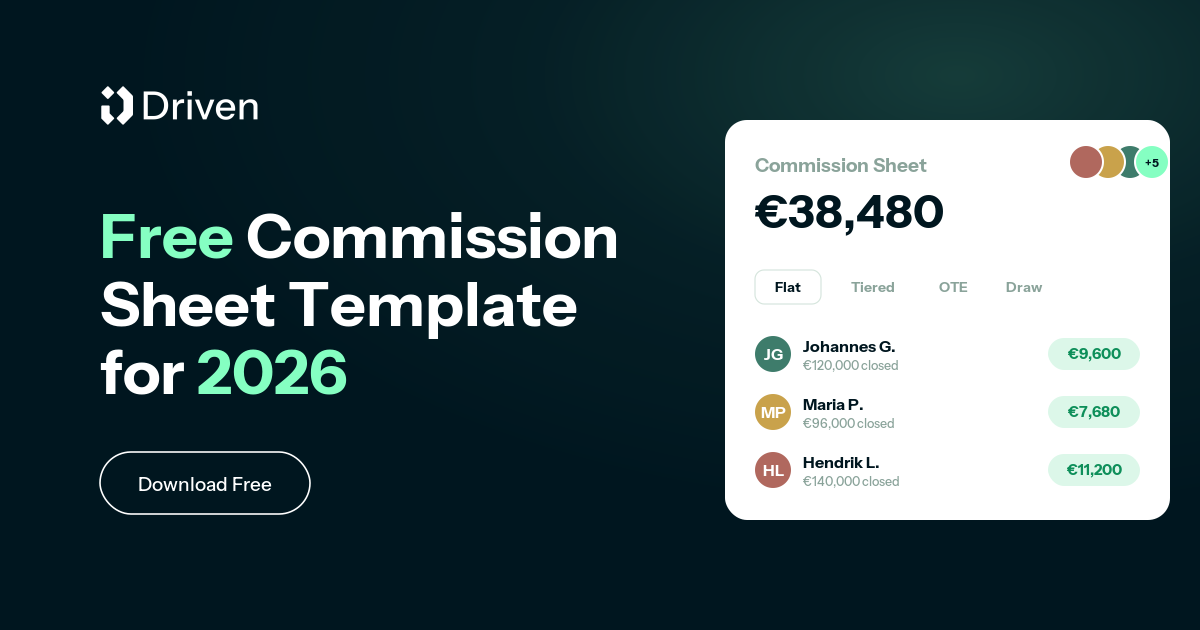
Free Commission Sheet Template: 8 Sales Commission Spreadsheets in One Excel File
Most commission plans don't fail because the idea is wrong. They fail because nobody modelled the numbers before rolling them out. A rate that looks generous on a slide turns into a payout you can't afford at 130% attainment, or an accelerator so flat that your best reps stop pushing the moment they hit quota.
So we built a free commission sheet template to fix that. It's one Excel file with eight ready-to-use sales commission spreadsheets, each structure on its own tab, each with live formulas and a filled-in sample row. Change a rate, a quota, or a revenue number and every payout updates instantly, and because everything lives in one workbook you can compare models side by side without juggling downloads.
Download the commission sheet template, or start for free and let Driven build the plan for you.

New to comp design? Start with our guide to sales compensation structure types, then model your pick here.


Non-Recoverable Draw vs. Recoverable Draw: What's the Difference?
New sales hires often get offered a "draw" against commission, and most sign the offer letter without knowing there are two very different types. That gap in understanding can mean thousands of dollars either staying in a rep's pocket or getting clawed back months later.
A draw is essentially an advance on future commission, designed to give reps steady income while they ramp up pipeline and close their first deals. But whether that advance is recoverable or non-recoverable determines something much bigger: whether it ever has to be paid back.
This guide breaks down what each draw type means, how they're calculated, when companies typically use each one, and the mistakes that turn a helpful ramp tool into a trust problem between reps and the company that hired them.



.svg%201.avif)