How to Analyze Sales Performance: Metrics, Lenses & a 7-Step Process
TL;DR
Sales performance analysis is the process of examining sales data to understand what is driving results, what is holding them back, and what to change next. It differs from reporting, which only says what happened, and the ongoing practice and technology behind it is called sales analytics.
A good sales analysis starts with a clear question, tracks a handful of key sales metrics (win rate, conversion rate, average deal size, sales cycle length, quota attainment, pipeline coverage and cost of sales), and looks at the data through five lenses: time, rep, territory, customer segment and lead source. The practical process has seven steps: ask a question, collect the sales data, clean it, set a baseline, identify trends through the lenses, diagnose the root cause, and act and monitor.
To evaluate individual sales reps, use a balanced scorecard of outcomes, activity and quality, and look at how attainment is distributed across the team, not just the average. Because compensation shapes behavior, it helps to analyze pay against performance too.
Driven acts as the data layer that connects your CRM and commission data, so you can query it in natural language and build the dashboards each person needs.
Every sales leader has a dashboard full of numbers, and most sales leaders know the feeling of not trusting them. Far fewer can explain why last quarter missed, which sales reps need coaching, or whether the plan is rewarding the right behavior. Collecting sales data is easy. Turning it into actionable insights, and then into better sales strategy, is the hard part.
This guide is for sales leaders, sales managers and RevOps teams, and for any sales team that wants a repeatable sales analysis process. We explain what sales performance analysis is, which metrics to analyze, five lenses for looking at your sales data, a seven-step process with a worked example, how to evaluate individual reps, and how compensation fits in.
What Is Sales Performance Analysis?
Sales performance analysis is the process of examining your sales data to understand how well your sales team is performing, what is behind the results, and where to act. An effective sales analysis turns raw sales data into decisions: where to coach, which segments to prioritize, which stage of the sales funnel is leaking, and whether your sales targets and incentives are realistic.
The terms around it are often mixed up:
Why Sales Performance Analysis Matters
Regular sales analysis lifts overall team performance, because it turns gut feeling into evidence. Done consistently, it helps sales leaders and sales managers:
- Find underperformance early: Spot underperforming sales reps, deals and segments, and emerging sales trends, while there is still time to act.
- Uncover the root cause of stalled deals: See where deals stop moving in the sales process, and why, so reps get back to closing deals.
- Improve forecasting accuracy: Use historical data to predict future sales more reliably.
- Improve resource allocation: Put headcount, coaching and territory focus where they pay off.
- Shape your sales strategy and financial planning: Base decisions on what the data shows, not on the loudest opinion.
Four Types of Sales Analytics
Sales analytics comes in four types, and most sales teams use all of them as their sales analysis matures:
Forecasting accuracy deserves a special mention. It reflects how close projected sales are to actual closed deals, and accurate forecasting lowers the risk of unfulfilled quotas and improves resource allocation. A solid analysis of past performance is the foundation for it, and sales analytics tools make it repeatable.
Sales Metrics to Analyze
You do not need dozens of metrics. These key metrics answer most of the questions sales teams ask about sales performance. They fall into three groups: growth, efficiency and profitability. The table shows the formula for each and what it tells you:
A sales metric on its own says little. The value comes from comparing it: against a target, against historical data, between reps, and between segments. That is where the lenses come in.
Five Lenses for Looking at Sales Data
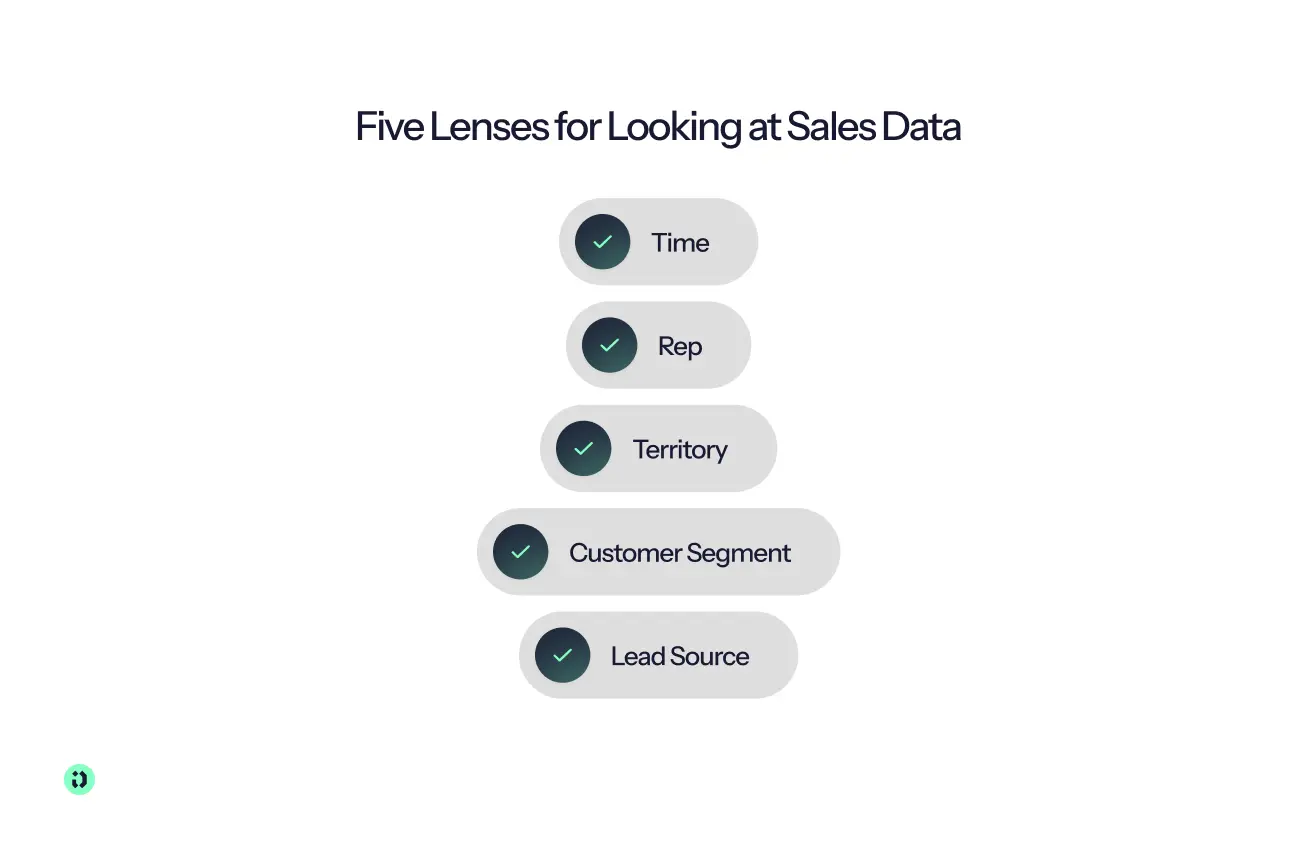
The same numbers tell a different story depending on how you slice them. These five lenses cover most of what sales teams need to see in a sales analysis.
1. Time: Sales Trend Analysis
How do your metrics change over a day, week, month, quarter or year? Sales trend analysis compares performance over specific intervals and shows sales trends, seasonality and momentum. A small but steady decline in win rate over three months is often more important than one bad week. Comparing against past performance also reveals patterns such as deals clustering at the end of the quarter.
Question it answers: Are we getting better or worse, and when did it change?
2. Rep
How do your sales reps perform compared with the team and with their own history? The rep lens shows who is excelling, who is struggling, who keeps closing deals, and how sales team performance is spread. It is the basis for coaching, and for judging whether targets are fair.
Question it answers: Who needs help, and what do top performers do differently?
3. Territory
How do regions, accounts or markets compare? The territory lens exposes untapped markets, uneven distribution of opportunity, and territories that are over- or under-covered. It also separates a rep problem from a territory problem.
Question it answers: Is this a people issue, or a market issue?
4. Customer Segment
How do results differ by industry, company size, product line or customer type? Segmentation, sometimes called cohort analysis, groups sales data by customer characteristics, and it reveals customer behavior and buying patterns. It often shows that a headline number hides very different realities, such as a healthy mid-market business sitting next to a struggling enterprise one. Looking at margin by product or segment also shows which offerings are actually profitable.
Question it answers: Which customers are we winning, and which are we losing?
5. Lead Source
Where do deals come from: inbound, outbound, partners, referrals, events? The source lens shows which channels produce the best deals, not just the most, and how conversion rate, cycle length and deal size differ by origin. It can also expose hidden revenue leaks, such as a channel that brings plenty of pipeline but few wins.
Question it answers: Where should we invest more effort?
Key Takeaway: Start with the overall number, then apply one lens at a time. The goal is to find where the pattern changes, because that is where the answer usually sits.
How to Analyze Sales Performance: 7 Steps
Here is a sales analysis process you can repeat every quarter, shown with a worked example. Sales teams of any size can use it, and the numbers are illustrative.
The scenario: A sales team of 10 reps closed $1.2 million in the quarter against a $1.5 million target, which is 80% of goal.
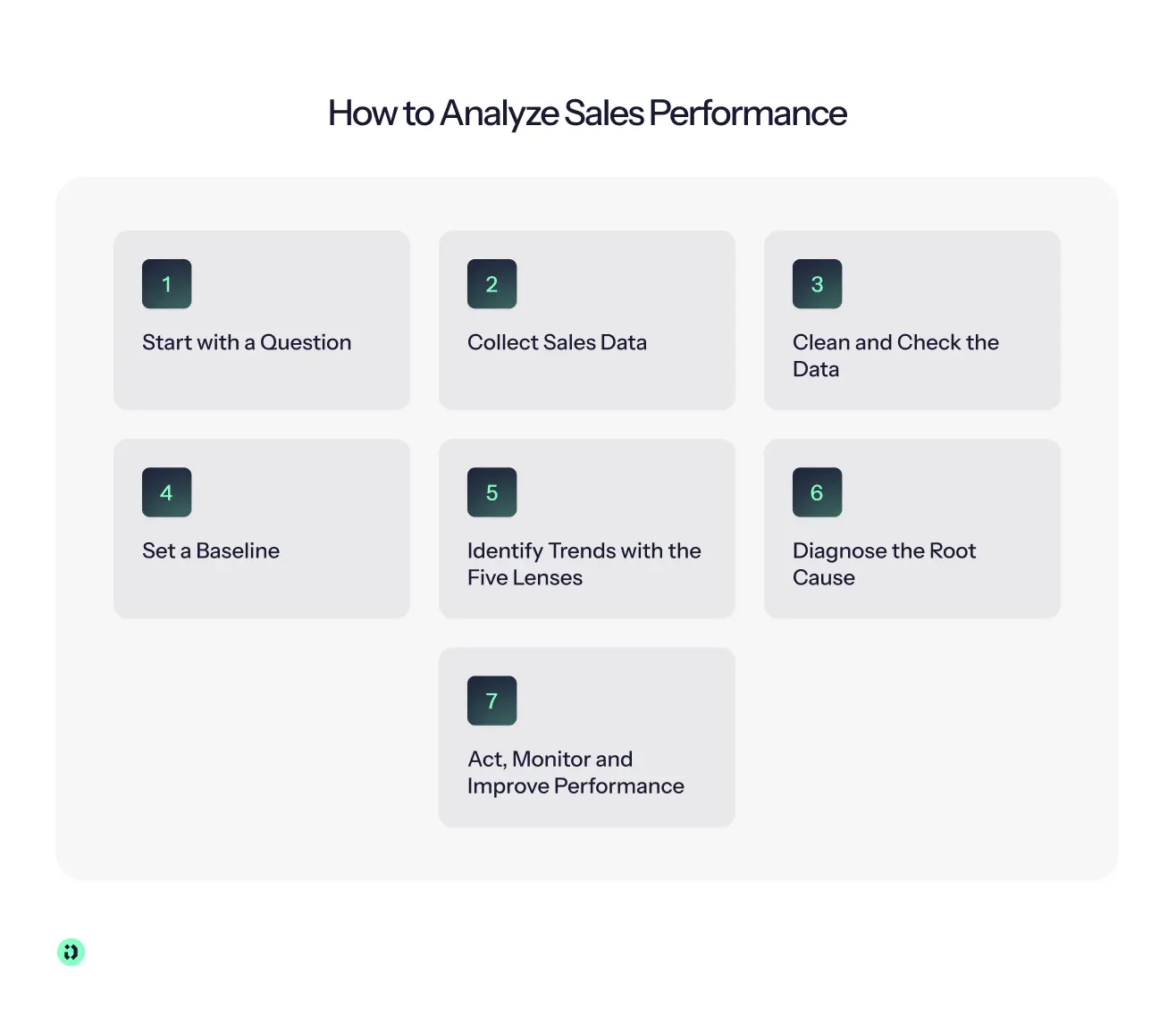
Step 1: Start with a Question
"How are sales doing?" is not a question. "Why did we miss the quarter by 20% when the pipeline looked healthy?" is. A specific question tells you which sales data and which lens you need.
Step 2: Collect Sales Data
List where the sales data lives: your CRM system for deals and stages, your quota and territory records, your accounting system for revenue, and your compensation data for what you paid. Gather the key data points for each deal (amount, close date, stage, source, rep and segment) and pull the raw sales data into one place.
Step 3: Clean and Check the Data
Raw data is rarely ready for sales analysis. Standardize dates, currencies and company names, and remove duplicates. Look for missing close dates, impossibly large deals and stale opportunities. Note any gaps, such as a field that was not tracked for part of the period.
Step 4: Set a Baseline
Compare against the sales targets, against historical data from the previous period, and against any benchmark you trust. In the example, Q2 attainment was 92%, win rate was 28% and the sales cycle was 45 days. In Q3, win rate fell to 22% and the cycle grew to 58 days. Deal size was steady at $24,000, so the problem is not deal size.
Step 5: Identify Trends with the Five Lenses
Work through the lenses one at a time, and audit how deals move through each stage of the sales pipeline:
- Time: The shortfall was concentrated in September, and the sales trends in the quarter showed deals slipping late.
- Rep: Only 3 of the 10 reps hit quota, and 4 were below 60%, including two new hires.
- Segment: Mid-market win rate held at 30%, while enterprise fell from 20% to 12%.
- Source: Outbound deals took about 70 days to close, versus 35 days for inbound.
Step 6: Diagnose the Root Cause
Ask why the pattern exists. In the example, enterprise deals were stalling late, at security and legal review, which stretched the cycle past the quarter end. That explains the September drop and the missed target far better than "sales reps underperformed." Fixing it means changing the sales process, not replacing people.
Step 7: Act, Monitor and Improve Performance
Turn the finding into a specific change to the sales process, with a target. Introduce security review earlier in enterprise deals, and aim to bring enterprise win rate back from 12% to 18% within two quarters. Then set a rhythm: review leading metrics weekly (pipeline, stage conversion), the full set monthly, and run a deeper analysis quarterly. Charts and graphs help here, because a simple trend line makes actionable insights easy to share with sales managers and the rest of the team.
Two cautions keep the process honest. Do not confuse reporting with analysis: a chart of what happened is not a diagnosis. And always compare against a baseline, because a number without context is easy to misread.
Steps 2 and 3 are where most sales analysis time disappears, as teams export from the CRM and rebuild the same spreadsheet each quarter. With Driven, deals, quotas and payouts are synced from your CRM and kept in one place, so the data is ready when you start the analysis.
How to Evaluate Individual Sales Performance
Analyzing sales teams is one thing. Evaluating an individual sales rep is another, and it needs more care, because the result affects coaching, pay and careers. A fair evaluation looks at more than one number.
Build a Balanced Scorecard
Weigh outcomes most heavily, and use activity and quality metrics to diagnose why a result is high or low. A rep who is below quota with strong activity needs a different conversation than one with low activity.
Look at the Distribution, Not Just the Average
A team average can hide the real picture. Group your sales reps by quota attainment:
In this example, 3 of 10 reps are at or above quota. That is a prompt for questions. If very few reps reach quota, the target may be unrealistic, or enablement may be falling short. If almost everyone exceeds it, the target may be too low.
Compare Fairly, Then Coach
Judge sales reps against comparable peers and conditions. A new hire in their first quarter and a veteran in a mature territory are not the same case, so look at territory, ramp stage and the opportunity each rep was given. Then turn the evaluation into coaching: for each rep, name one or two strengths, one or two gaps, and one concrete action, and revisit it in the next review.
Evaluation works best when every sales rep can see their own numbers and ask about them, and when sales leaders and sales managers see the same data. With Driven, each rep has a personal dashboard of their targets and earnings, and can ask questions about their numbers instead of waiting for a manager to explain them.
Linking Sales Performance Analysis to Compensation
Compensation is one of the strongest levers on sales behavior, so a sales analysis that ignores pay is incomplete. Four checks connect the two:
- Is pay following performance? Compare payouts against attainment. The top performers should earn the most. If pay does not track results, the plan is not doing its job.
- What does it cost to sell? Divide total sales compensation by revenue. Track it over time and compare it across segments, so you can see whether growth is arriving at a reasonable cost.
- Does the plan reward what drives revenue? Compare the behaviors your plan pays for (for example, new logos or large deals) with what your analysis shows actually wins revenue.
- Is the plan creating odd behavior? Look for signals that it needs attention:
- Deals bunching just before an accelerator threshold or the quarter end
- A large share of reps far below quota
- High payouts with flat growth
- A rising number of payout disputes
Example: Your analysis shows enterprise win rate falling, but the plan pays the same rate for enterprise and mid-market deals. If enterprise deals take twice as long to close and carry more risk, the plan may be steering reps toward easier deals.
This is where having commission data next to performance data pays off. With Driven, plan, payout and CRM data live in the same place, so you can see how pay relates to performance and test plan changes against historical payouts before you make them.
How Driven Helps You Analyze Sales Data
Most sales analysis breaks down in the same place, and sales leaders feel it first: the sales data is scattered, the dashboards answer last quarter's questions, and every new question means another report to build. When you evaluate sales analytics software and sales analytics tools, look for:
- Live data from your CRM, not exports
- Rep-level and team-level views, including attainment and distribution
- Compensation data alongside performance data
- Answers you can trace back to the source
- Flexibility, so you can ask a new question without waiting for a new report
Driven is built to be that data layer. It connects to your CRM (HubSpot or Salesforce) and holds your commission data too, so deals, targets, attainment and payouts sit in one governed source of truth. It complements your sales performance management process and your sales analytics stack instead of replacing them.
- A single source of truth: Your CRM and commission data are synced in one place, with a full audit trail behind every number.
- Connect it via MCP: Link Driven's data to your own AI tools through MCP, instead of exporting to yet another dashboard product.
- Query it in natural language: Ask questions in plain language, without building a report for each one.
- Build personalized dashboards: Give each sales leader, manager or rep the view that matters to them.
- Stay in control: Permissions and audit trails keep access governed, so the right people see the right data.
"We went from spending 3 days on commission calculations to getting it done in 3 hours. Driven gave our reps real-time visibility into their earnings, which was a game-changer for our team." – Thijs Janse, SVP Revenue, Aikido Security



See your comp plan, fully built in minutes

Frequently Asked Questions
About the author





- What they do: AI tools for sales operations take repetitive work off your team, keep CRM data clean and surface insights across planning, routing, forecasting and pay.
- The main lesson: match the kind of AI to the job. AI drafts, explains and flags; fixed rules calculate anything involving money or ownership; a human signs off.
- Best AI tools for sales ops: Driven (compensation), Fullcast (territory and quota planning), Clay (data enrichment), LeanData (lead routing), Gong (pipeline and forecasting).
- What's at stake: real teams lose from one or two days to two weeks per quarter on manual work.
- How to choose: start from your CRM, fix your source of truth, pick the one bottleneck that hurts most and test edge cases in a pilot.

- Sales commission automation is the process of using rules, data, and automated systems to calculate, track, approve, and report sales commissions with less manual effort.
- You can automate sales commissions with spreadsheets, build a custom system, or use dedicated sales commission software, depending on your team's size, commission structures, and business needs.
- A useful rule of thumb is: AI can help draft and explain plans, rules should calculate payouts, and humans should approve them.
- To get started, identify your source of truth, clean your CRM and sales data, document your commission rules, and then choose the automation approach that fits your commission process.
- Aikido Security used Driven to cut its commission processing time from 3 days to 3 hours, while giving 120+ sales reps real-time visibility into their earnings.
Most commission plans fail because nobody modelled the numbers before rolling them out. A rate that looks generous on a slide turns into a payout you can't afford at 130% attainment, or an accelerator so flat that your best sales reps stop pushing the moment they hit quota.
So we collected the eight most common sales commission structures into a single free commission sheet template. It is one workbook with a commission spreadsheet for each structure, each with live formulas and a filled-in example. Change a rate, a quota, or a revenue number and every payout updates instantly, so you can compare sales commissions across models in one place.
Open the template in Google Sheets or start for free and let Driven build the plan for you.